
Support Center
Manage user conversations in one place.
Your support team can review conversations, user information, order details, payments, and account activity in one workspace.
Unified inbox
Full user context
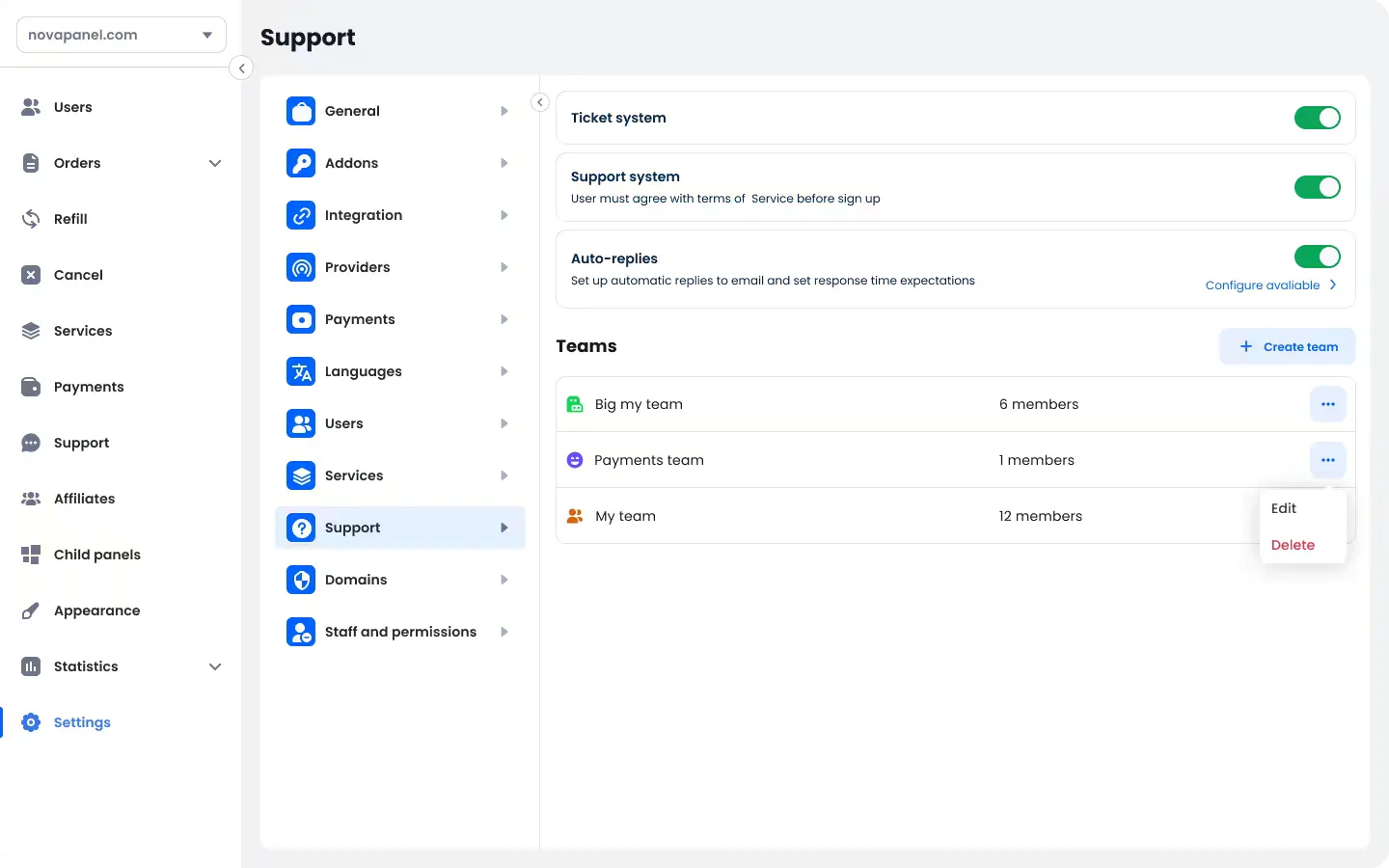
Team routing
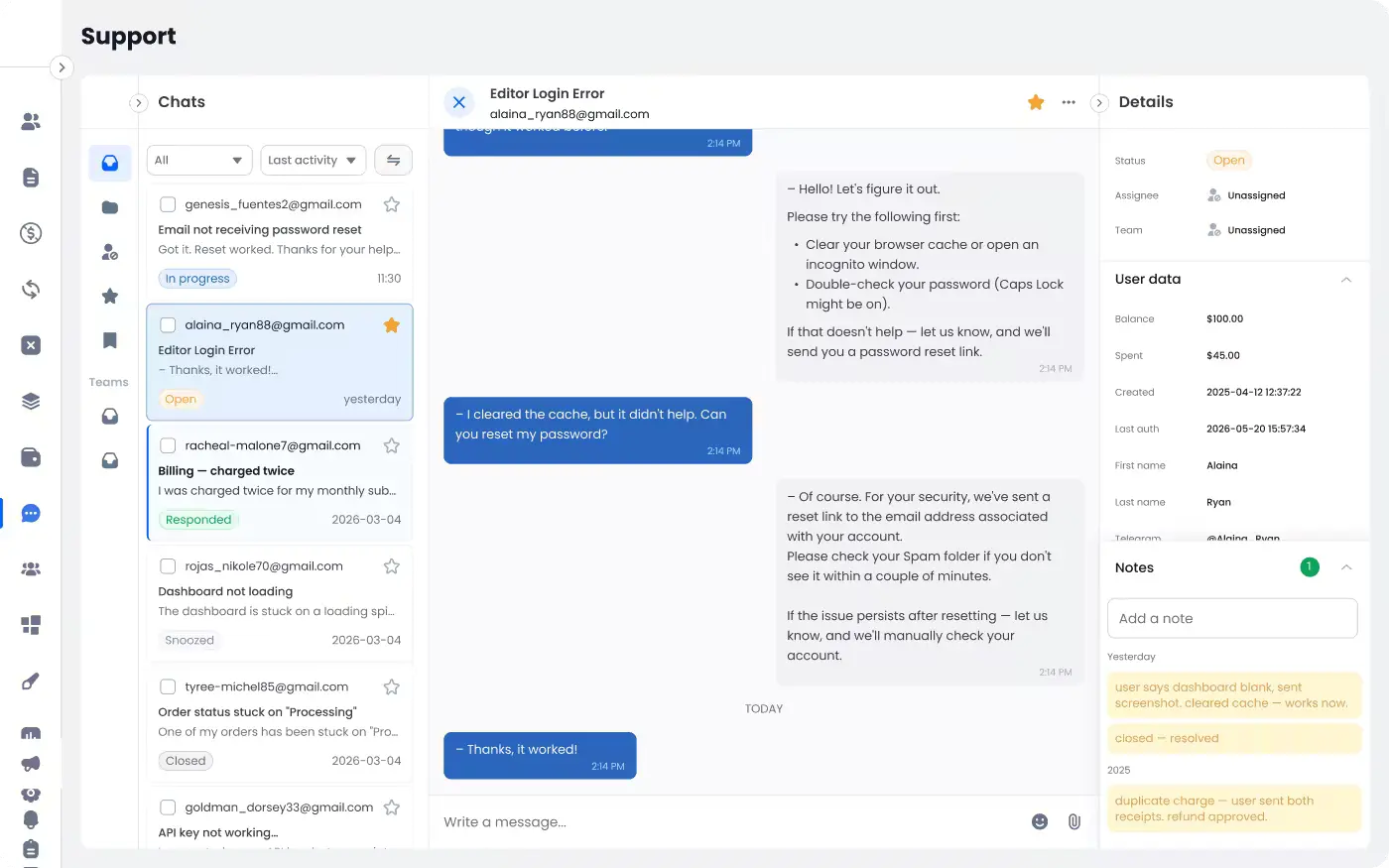
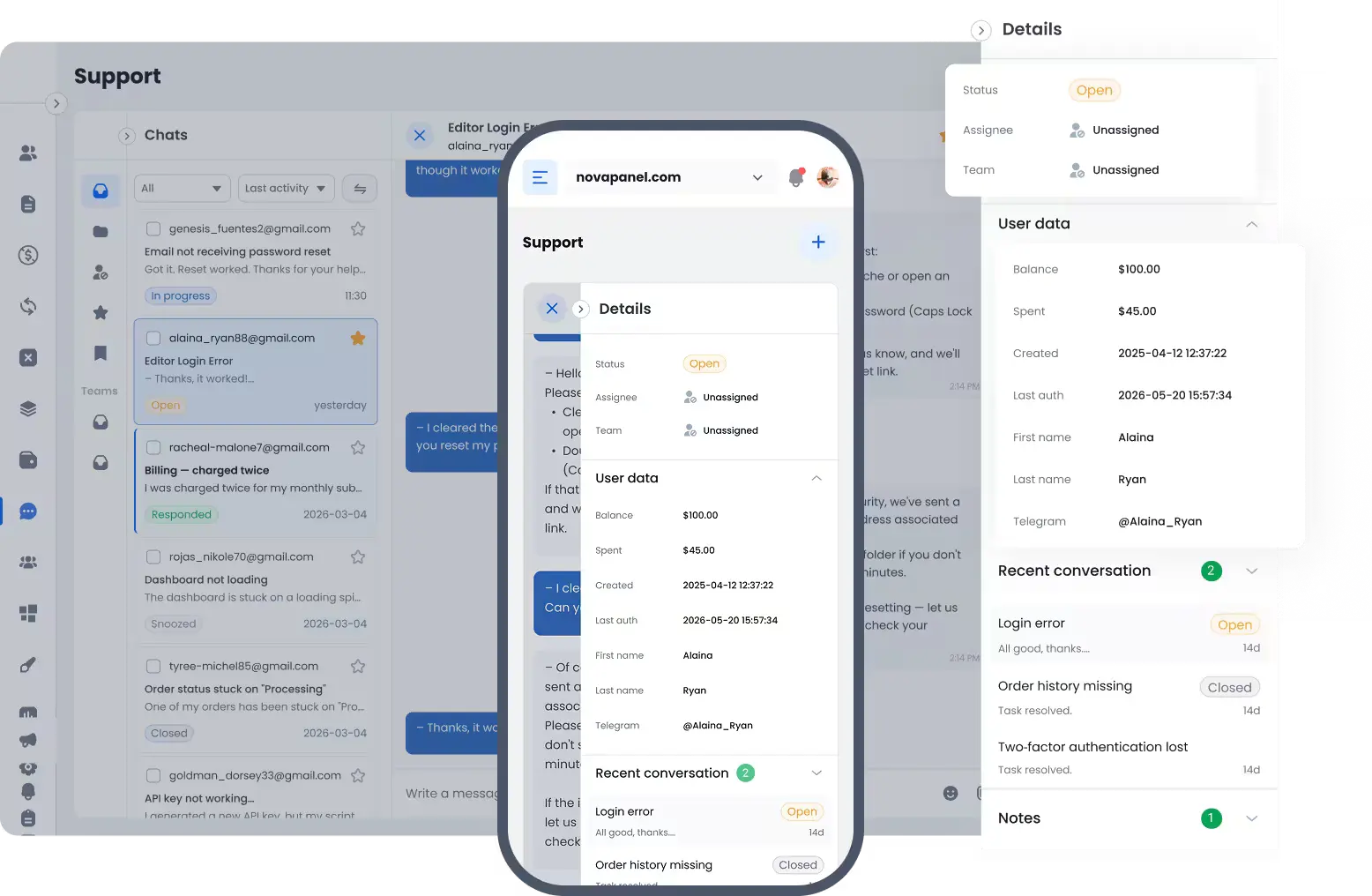
See user information next to the conversation.
When a conversation opens, admins can review the user’s balance, orders, payments, and account details.
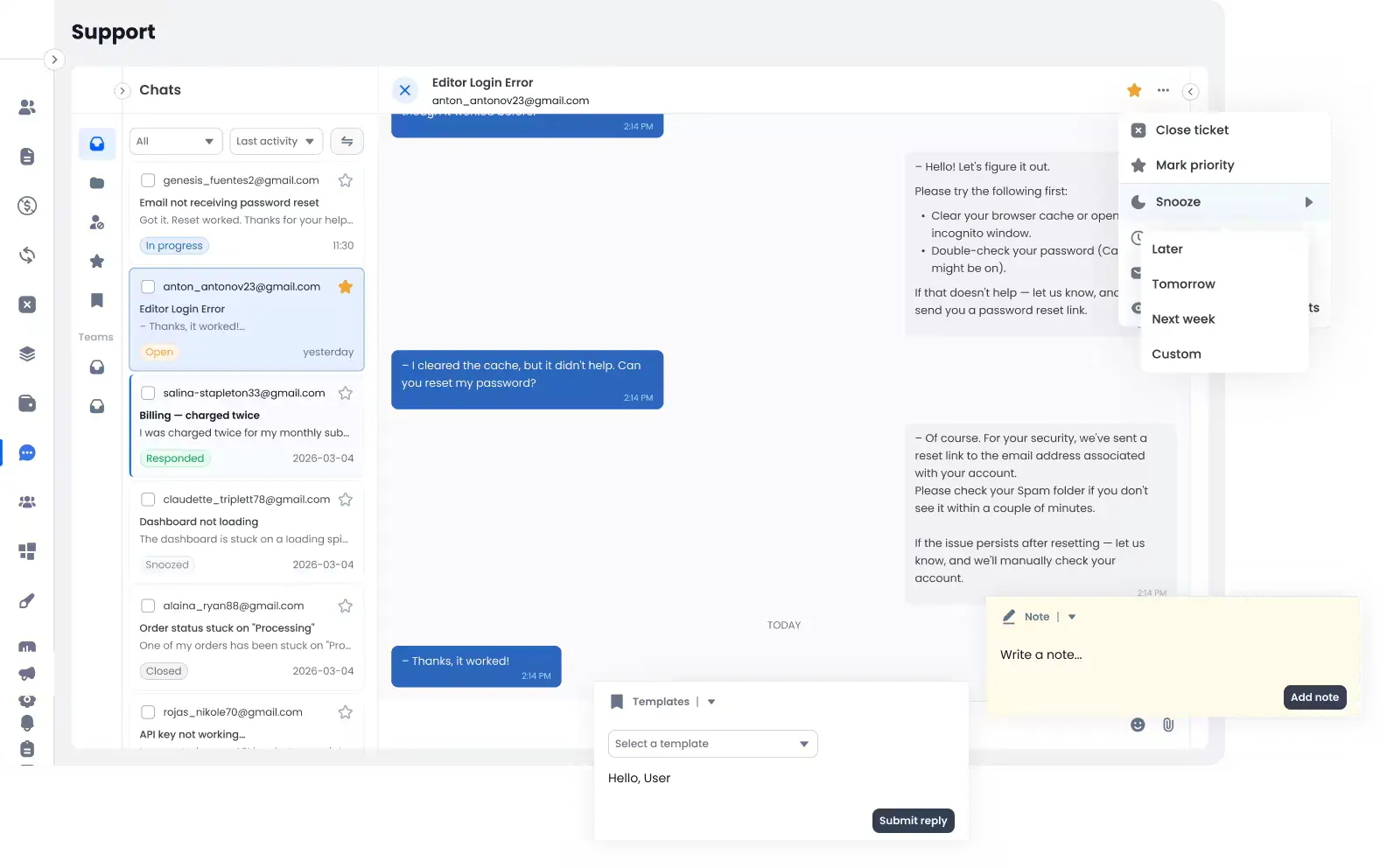
Organize incoming support requests.
Use statuses, assignments, snooze settings, and scheduled replies to organize conversations. These controls help the team see which requests are open, pending, or completed.
Assign conversations to the right team.
Create support teams and assign conversations based on the type of request. For example, payment questions can go to the finance team and order questions to the operations team.
Share internal information with your team.
Add private notes to conversations or user profiles. Private notes are visible to authorized staff and are not shown to the user.
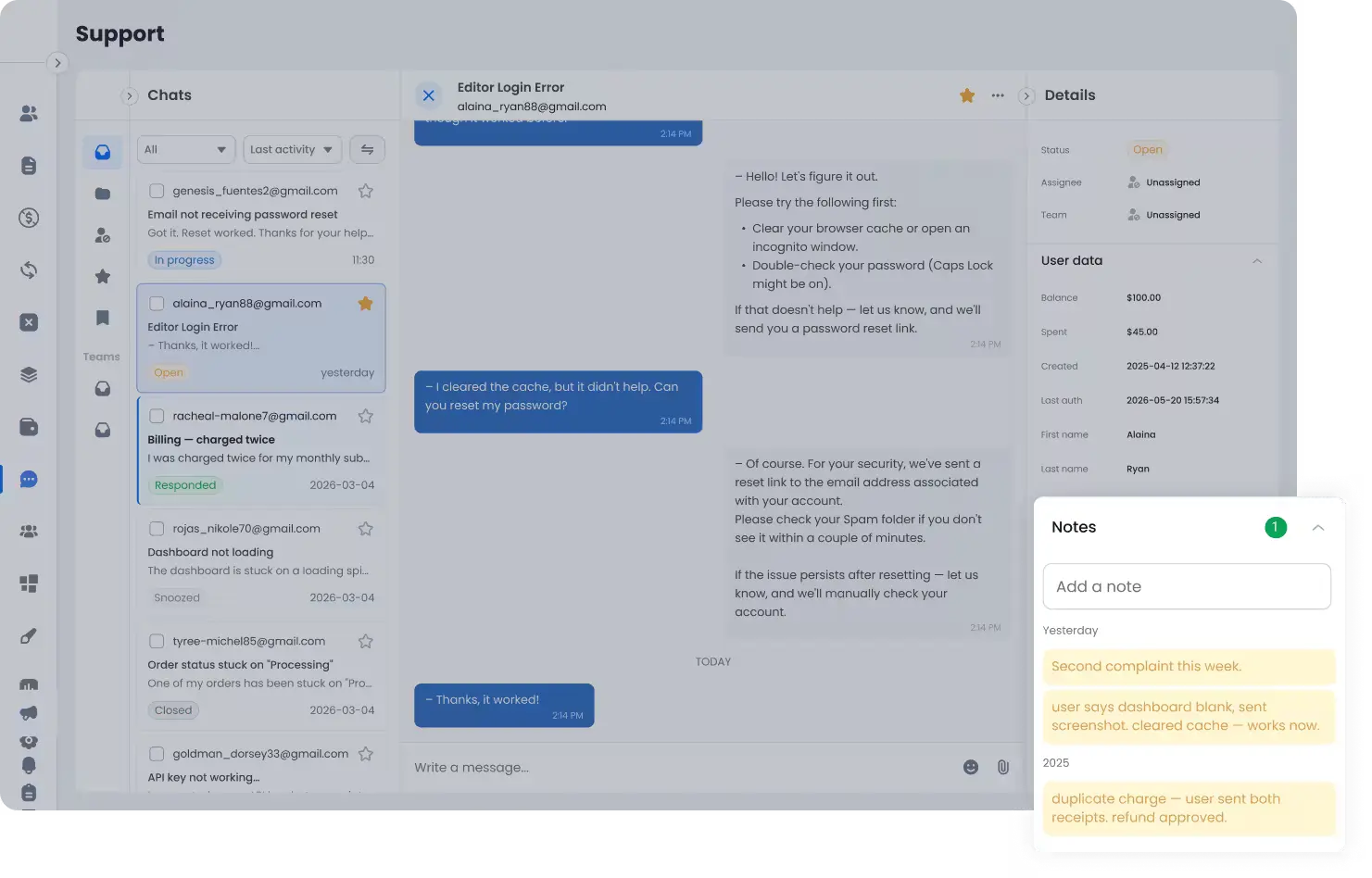
Keep support conversations and user context together.
Support Center combines conversations, assignments, user information, private notes, and related order details in one workspace.