


SMM Panel Pricing Strategy: How to Set Profitable Margins
Pricing is one of the most important parts of running a successful SMM panel business.
Many beginners think pricing is simple: take the base cost of a service, add a small markup, and publish the final price. However, a sustainable SMM panel pricing strategy requires a deeper look.
To build a healthy business, you need to account for service costs, payment fees, support time, refunds, partial orders, reseller discounts, and long-term operational costs.
If your prices are too low, you may process many orders but lose profit.
If your prices are too high, customers may not understand the value and choose another platform.
If your pricing structure is confusing, users may leave before topping up their balance.
A good pricing strategy should help you do three things:
- stay profitable
- remain competitive
- keep the customer experience simple and predictable.
In this guide, we will explain how to set profitable margins for your SMM panel, how to avoid common pricing mistakes, and how Nova Panel helps you organize services, payments, orders, and balance top-ups from one platform.
Why Pricing Strategy Matters for an SMM Panel
Your pricing model affects how customers view your brand, how often they place orders, how much support they expect, and whether your business can grow without constant financial pressure.
A weak pricing strategy can create several problems:
- narrow profit margins
- too many low-value orders
- high support workload
- refund pressure
- unstable cash flow
- confused customers
- difficulty scaling
- weak positioning against competitors.
Pricing is not only about numbers.
Pricing is part of your positioning.
A budget panel attracts one type of customer. A clear, professional, and reliable platform attracts another. A reseller-focused panel also needs a different pricing structure than a beginner-friendly panel.
Before setting prices, you need to understand what kind of business you are building and who your pricing is designed for.
Step 1: Understand Cost, Markup, and Margin
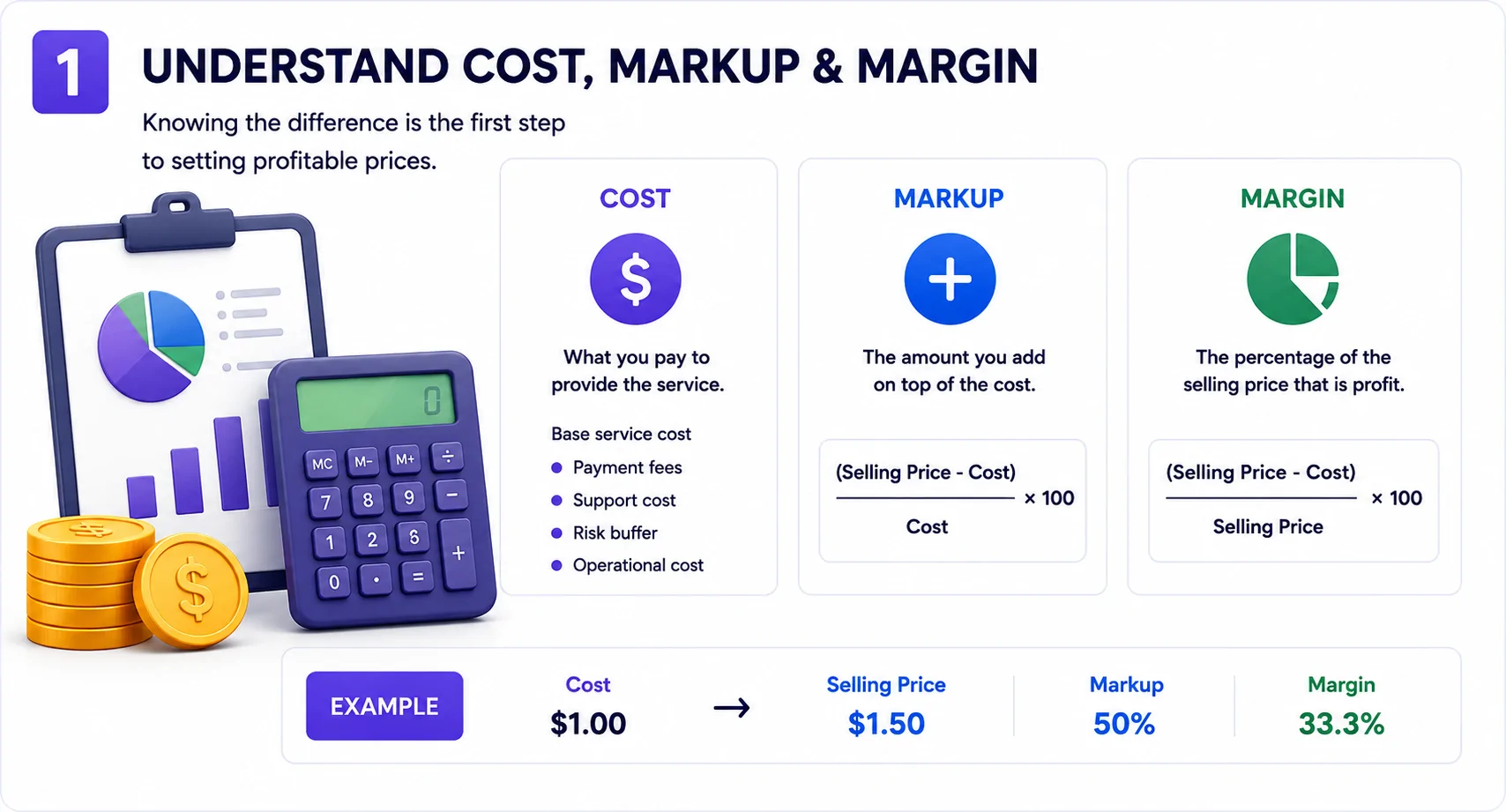
Before adding prices to your service catalog, you need to understand three basic financial terms:
- cost
- markup
- margin.
They sound similar, but confusing them can lead to poor pricing decisions.
Cost
Cost is what you pay to provide the service.
For an SMM panel, cost may include:
- base service cost
- payment processing fees
- refund or partial order risk
- support time
- platform costs
- marketing costs
- operational overhead.
Many beginners only count the base service cost.
That is a mistake.
If you ignore payment fees, support time, and failed or partial orders, your real profit may be much lower than it looks.
Markup
Markup is how much you add on top of your cost.
For example, if a service costs you $1.00 and you sell it for $1.50, your markup is $0.50.
The markup percentage is calculated like this:
Markup = (Selling Price - Cost) / Cost × 100Using the example:
($1.50 - $1.00) / $1.00 × 100 = 50%So the markup is 50%.
Margin
Margin shows what percentage of the selling price is profit.
The formula is:
Margin = (Selling Price - Cost) / Selling Price × 100Using the same example:
($1.50 - $1.00) / $1.50 × 100 = 33.3%So the margin is 33.3%.
This is important because many beginners confuse markup and margin.
A 50% markup does not mean a 50% profit margin.
If you want to build a profitable SMM panel, you need to track margin clearly.
Step 2: Calculate the Real Cost of Each Service
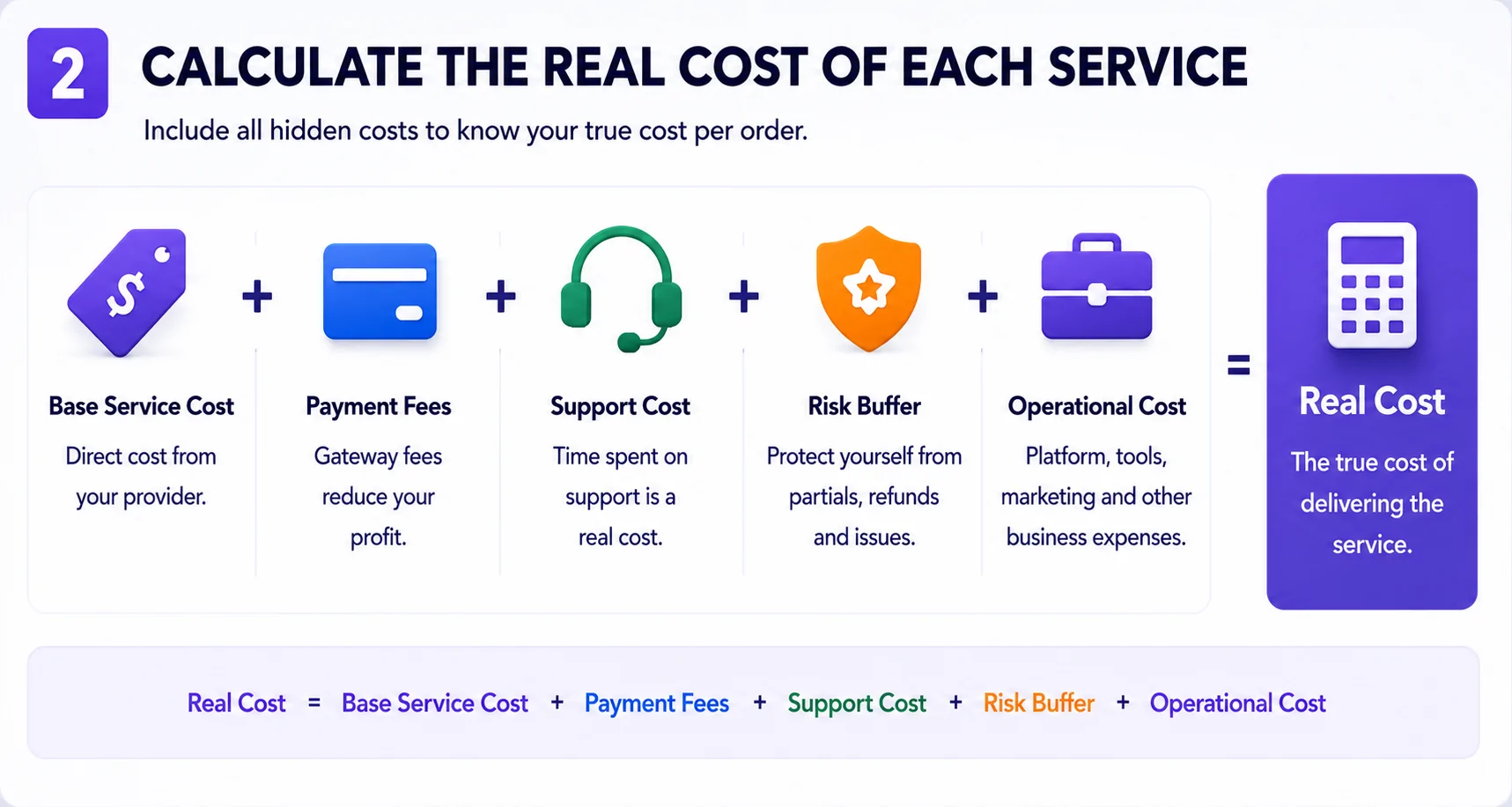
Never look only at the base price of a service.
The real cost of each order can include several variables:
Real Cost = Base Service Cost + Payment Fees + Support Cost + Risk Buffer + Operational CostLet’s break this down.
Base Service Cost
This is the direct cost of the service.
It is usually the easiest number to see, but it is not the full cost of running the business.
Payment Fees
Every payment method may include fees.
Even small fees matter when you process many orders or allow small balance top-ups.
For example, if a customer adds $10 and the payment fee is $0.50, that fee affects your real margin.
If you ignore payment fees, your pricing may look profitable on paper but weaker in reality.
Support Cost
Some services create more support questions than others.
A service may have a good margin, but if customers constantly ask questions, open tickets, request changes, or complain about unclear rules, the real cost becomes higher.
Support time is a cost.
Even if you are handling support yourself, your time still has value.
Risk Buffer
Not every order will go perfectly.
Some orders may become partial, canceled, delayed, disputed, or misunderstood by the customer.
A small risk buffer helps protect your business from situations where a few problem orders erase the profit from several successful ones.
This does not mean you should overcharge customers.
It means your pricing should be responsible and sustainable.
Operational Cost
Your panel also has general business costs.
These may include:
- software
- hosting or infrastructure
- domain
- design
- support tools
- content creation
- marketing
- administrative work.
Not every cost needs to be added directly to every service, but your overall pricing should be strong enough to support the business.
Step 3: Use a Structured Pricing Formula
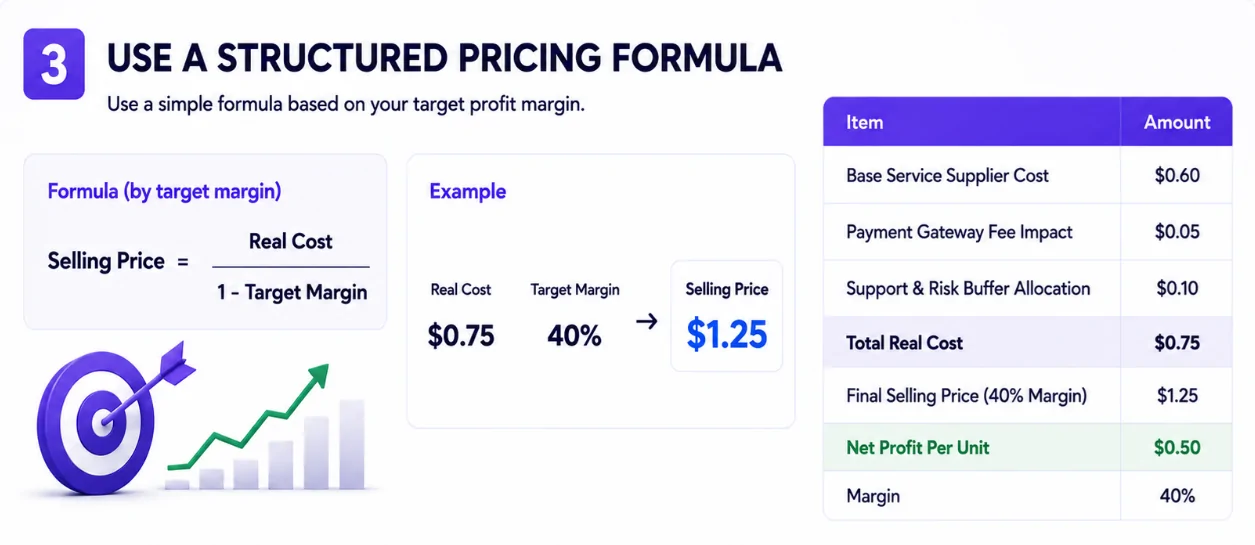
A clear formula helps you avoid random pricing.
You can start with this simple formula:
Selling Price = Real Cost + Desired ProfitOr use a target margin formula:
Selling Price = Real Cost / (1 - Target Margin)For example, imagine a service has a real cost of $0.75 and you want a 40% margin.
The formula would be:
Selling Price = $0.75 / (1 - 0.40)
Selling Price = $0.75 / 0.60
Selling Price = $1.25
So if your real cost is $0.75 and your target margin is 40%, your selling price should be $1.25.
Here is a simple example:
| Item | Amount |
|---|---|
| Base service cost | $0.60 |
| Payment fee impact | $0.05 |
| Support and risk buffer | $0.10 |
| Real cost | $0.75 |
| Selling price | $1.25 |
| Profit | $0.50 |
| Margin | 40% |
This is only an example, but the logic is important.
Do not set prices only because a competitor uses similar numbers.
Set prices based on your costs, your target margin, your audience, and your business goals.
Step 4: Avoid the Race to the Bottom
One of the biggest mistakes in SMM panel pricing is trying to be the cheapest option on the market.
Lower prices may attract attention, but they can also create problems.
When you compete only on price, you may attract customers who:
- compare every small difference
- expect more support for less money
- leave quickly when they find a cheaper option
- place low-margin orders
- create pressure on your support team.
Being affordable is fine.
Being the cheapest is not always a strong strategy.
Instead of competing only on price, compete on:
- clear catalog structure
- simple order process
- transparent rules
- reliable communication
- good support
- easy balance top-ups
- professional dashboard experience
- helpful educational content
- trust.
Customers do not only pay for the service itself.
They also pay for convenience, clarity, and confidence.
A panel that is easy to use can often justify better pricing than a confusing panel with slightly lower prices.
Step 5: Set Different Margins for Different Service Types
Not every service should have the same margin.
Some services are simple, stable, and easy to support. Others create more questions, more risk, or more operational effort.
You can group services into different margin categories.
High-Volume, Low-Risk Services
These are services that customers understand easily and order repeatedly.
They may work with lower margins because the volume is higher and support pressure is lower.
Support-Heavy Services
Some services require more explanation or create more customer questions.
These should usually have higher margins because they take more time to manage.
Premium Services
Premium services should not be priced like basic services.
If a service is positioned as more stable, better supported, or more suitable for serious customers, the price should reflect that.
Premium does not mean making unrealistic promises.
It means offering a more professional experience and pricing it accordingly.
Reseller Services
Reseller services often need special pricing.
Resellers may place more orders, but they also expect better rates.
You need to make sure reseller discounts still leave enough margin for your business.
The key idea is simple:
Higher complexity should usually mean higher margin.
If a service creates more work, the price should reflect that.
Step 6: Build Smart Pricing Tiers
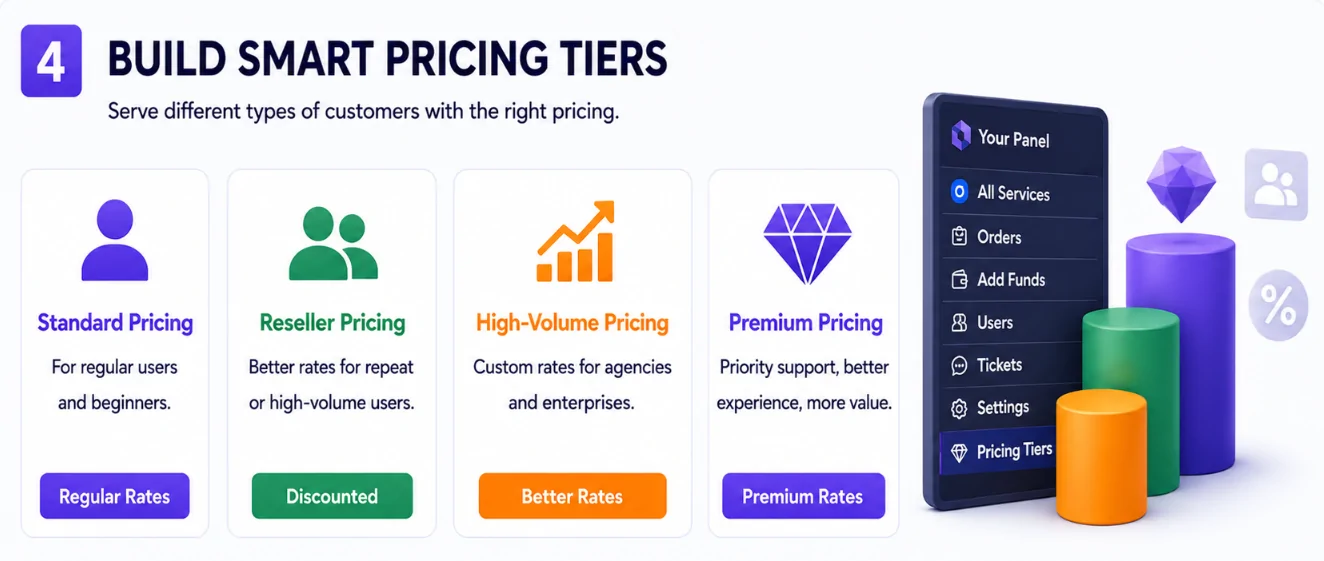
Pricing tiers help you serve different types of customers without confusing everyone.
A simple structure may include:
- standard pricing
- reseller pricing
- high-volume pricing
- premium pricing.
Standard Pricing
Standard pricing is for regular users.
It should be simple, clear, and easy to understand.
This is what most new customers will see when they first use your panel.
Reseller Pricing
Reseller pricing is for customers who place repeat or higher-volume orders.
The goal is to give them better rates while still protecting your margin.
Reseller pricing should not be too generous too early. You can create conditions, such as minimum monthly volume or minimum balance top-up.
High-Volume Pricing
High-volume pricing can be useful for agencies or repeat buyers.
This pricing can reward customers who bring consistent order volume.
Premium Pricing
Premium pricing can be used for services with better support, clearer process, or stronger positioning.
Premium does not mean promising guaranteed outcomes.
It means creating a better experience for customers who care about clarity, support, and reliability.
Step 7: Use Minimum Top-Ups and Minimum Order Values
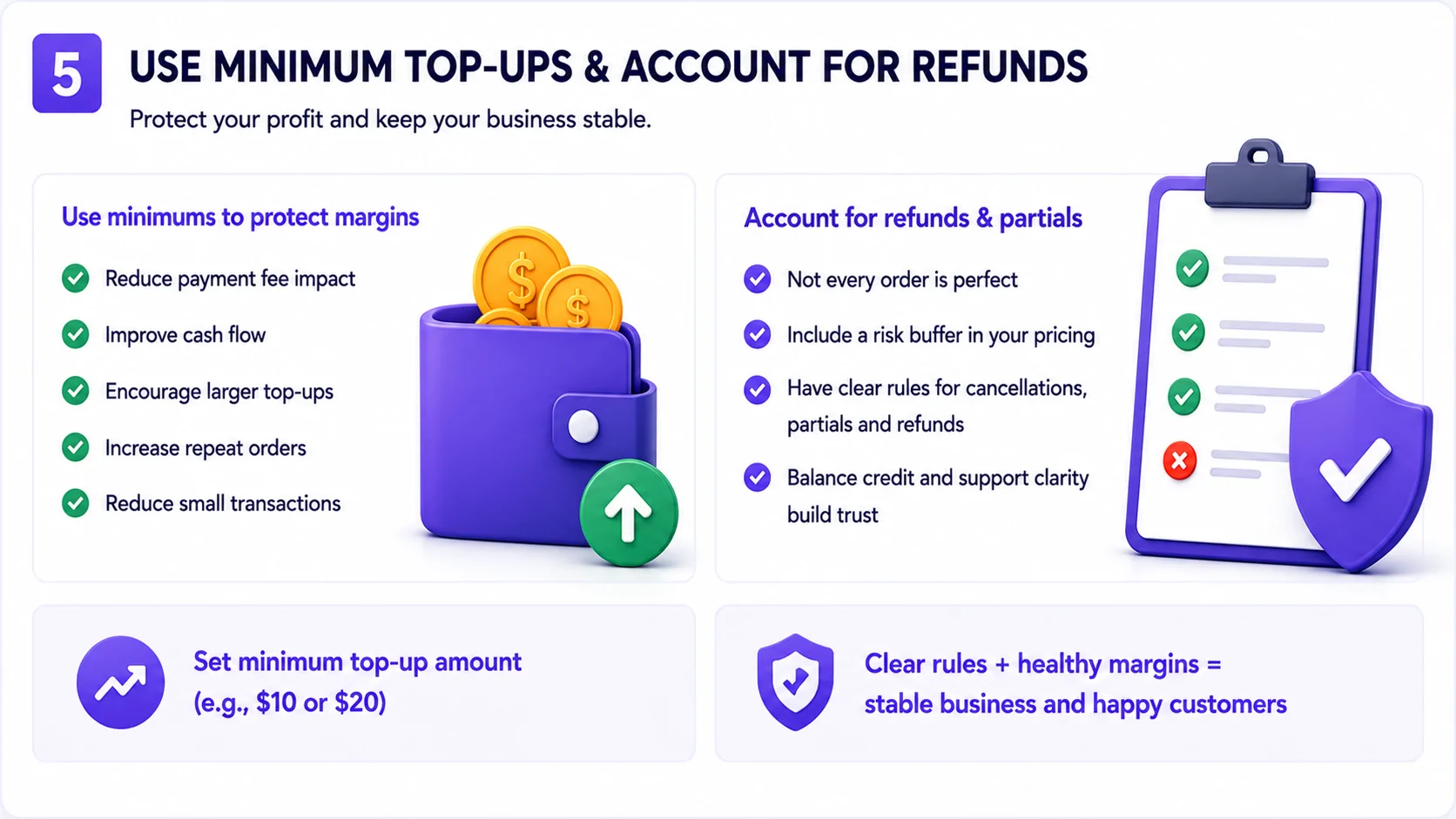
Small transactions can hurt profitability.
If customers top up very small amounts, payment fees may take a large percentage of the transaction.
For example, a payment fee that looks small on a $100 top-up may be expensive on a $3 top-up.
That is why many SMM panel businesses use minimum top-up amounts.
A minimum top-up can help you:
- reduce payment fee impact
- improve cash flow
- encourage repeat orders
- reduce tiny transactions
- make balance management cleaner.
You can also use minimum order values for certain services.
This helps prevent orders that are too small to be profitable or operationally useful.
The goal is not to make ordering difficult.
The goal is to make the economics sustainable.
A good minimum should protect your margin without creating unnecessary friction for customers.
Step 8: Account for Partials, Cancellations, and Refunds
Not every order will go perfectly.
Some orders may be:
- partial
- canceled
- delayed
- disputed
- refunded
- misunderstood by the customer.
Your pricing strategy should account for this.
If your margins are too thin, a few problem orders can erase your profit.
This is why you need clear rules and enough margin to handle exceptions.
Your panel should clearly explain:
- when cancellation may happen
- how partial orders are handled
- whether balance credit is issued
- what information the customer must provide
- whether changes are allowed after submission
- how support should be contacted.
Good pricing and clear rules work together.
Pricing protects your business.
Rules protect the customer experience.
When customers understand the process, there are fewer misunderstandings.
Step 9: Make Prices Easy to Understand
A profitable price is not enough.
The price also needs to be easy to understand.
If users do not understand how pricing works, they may hesitate before ordering.
Your pricing should be:
- visible
- simple
- consistent
- easy to compare
- connected to clear service descriptions.
Avoid overly complicated pricing structures.
Avoid hidden conditions.
Avoid making users calculate too much.
For each service, users should quickly understand:
- what the service is
- what it costs
- what quantity they can order
- what information is required
- what happens after they submit the order.
Clear pricing builds trust.
Confusing pricing creates doubt.
Step 10: Analyze Competitors as a Reference, Not a Blueprint
Competitor research is useful.
You should understand how other panels position their services, what price ranges customers may expect, and how your offer compares.
But copying competitor prices blindly is risky.
You do not know their:
- real costs
- payment fees
- support workload
- customer base
- service quality
- refund rate
- business model
- long-term strategy.
A competitor may be underpricing to get attention.
They may have better supplier rates.
They may be losing money.
They may use pricing as a short-term promotion.
Your pricing should be based on your own economics.
Use competitors as a reference, not as your main strategy.
The best question is not:
“What is the cheapest price in the market?”
The better question is:
“What price allows me to deliver a clear, reliable, and profitable customer experience?”
Step 11: Track Profitability by Service
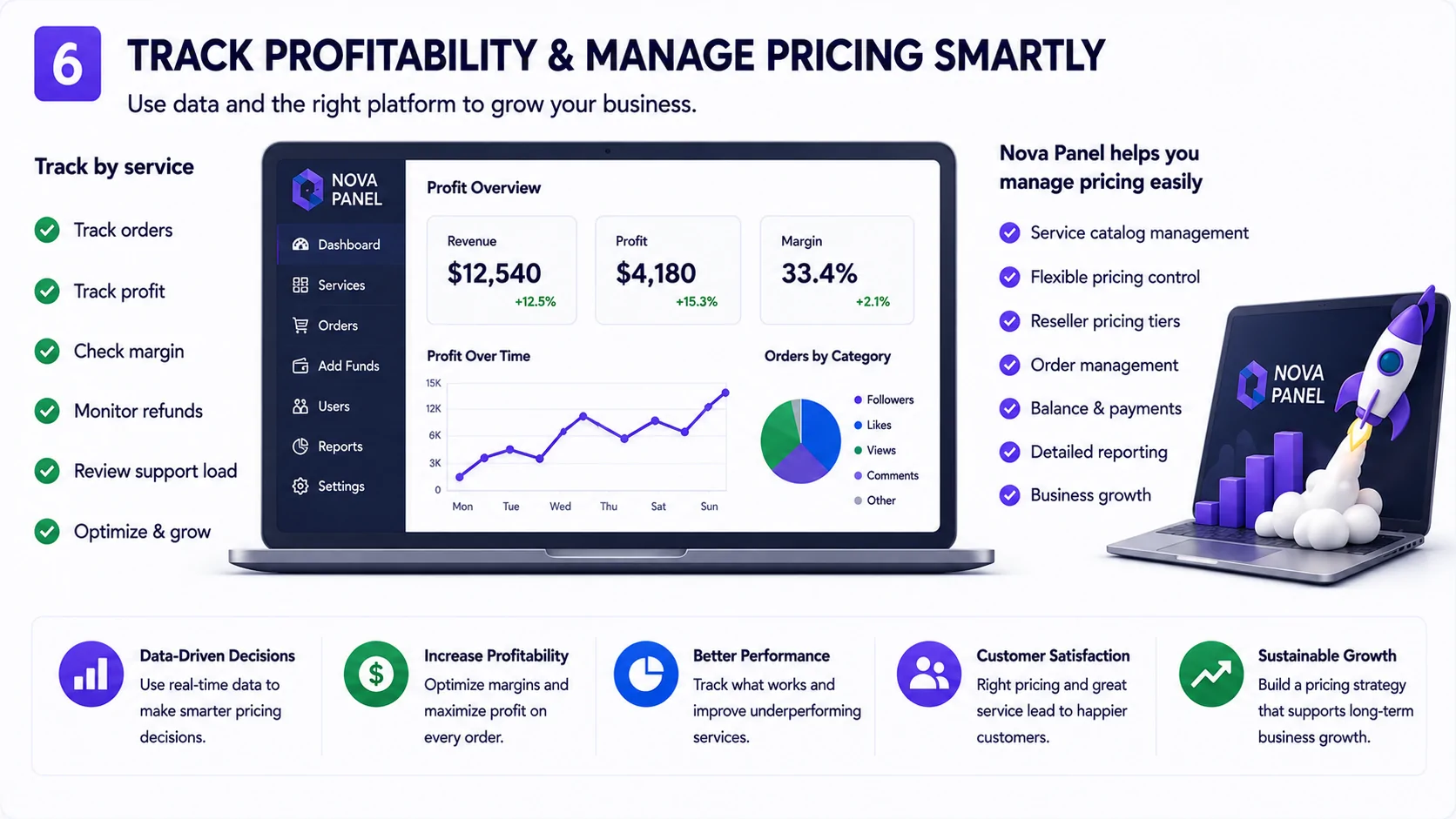
You should not only track total revenue.
You should track profitability by service or category.
Two services may bring the same revenue but very different profit.
For each service, review:
- order volume
- gross profit
- margin
- support questions
- cancellation rate
- partial order rate
- refund impact
- repeat order rate
- customer feedback.
This helps you decide what to keep, improve, promote, or remove.
For example:
A service with many orders but low margin may still be useful if it brings repeat customers.
A service with high margin but many complaints may not be worth keeping.
A service with low order volume but strong customer satisfaction may need better placement or clearer description.
Pricing is not something you set once and forget.
It should be reviewed regularly.
Step 12: Create Reseller Pricing Carefully
Resellers can become valuable customers because they often place repeat orders.
But reseller pricing needs to be managed carefully.
If you discount too much, you may increase order volume but reduce profit too far.
Before creating reseller pricing, define:
- who qualifies as a reseller
- minimum balance top-up
- minimum monthly order volume
- discount levels
- services included
- services excluded
- support expectations
- payment rules.
You can create simple reseller tiers, such as:
| Tier | Example Condition | Pricing Logic |
|---|---|---|
| Standard | New customer | Regular pricing |
| Reseller | Repeat buyer or higher balance | Better rates |
| High Volume | Consistent larger orders | Custom or deeper discount |
| Premium | Needs better support or priority | Higher value pricing |
This is not a fixed model. It is a structure you can adapt.
The main idea is to reward volume without destroying your margin.
A good reseller pricing strategy should benefit both sides.
The reseller gets better pricing.
The panel owner gets repeat business and more predictable volume.
Step 13: Use Promotions Without Damaging Your Brand
Promotions can help bring attention to your panel, but they should be used carefully.
Discounts can work for:
- first top-up bonus
- limited-time campaign
- reseller onboarding
- returning customer offer
- seasonal promotion
- testing a new category.
But constant discounts can damage your positioning.
If customers learn that your prices are always discounted, they may stop trusting your regular prices.
Use promotions with a clear purpose.
For example:
- to encourage first-time users to test the panel
- to reward loyal customers
- to increase usage of a new category
- to reactivate inactive users.
Avoid random discounts.
Every promotion should answer one question:
What business goal does this promotion support?
Step 14: Review Prices Regularly
Your pricing should not stay the same forever.
Costs change.
Payment fees change.
Customer behavior changes.
Service quality changes.
Competition changes.
Your business positioning changes.
Review your pricing regularly to make sure it still makes sense.
During a pricing review, check:
- which services have weak margins
- which services create too much support
- which services are underpriced
- which services are overpriced
- which categories are growing
- which reseller discounts are too aggressive
- whether minimum top-ups still make sense
- whether payment fees are affecting profit
- whether your pricing is still clear to users.
Small pricing improvements can have a big effect over time.
Even a small increase in margin can improve the health of the business if order volume is stable.
Common SMM Panel Pricing Mistakes
Mistake 1: Pricing Only Based on Competitors
Competitor research is useful, but your prices should be based on your own costs, margins, and value.
Do not copy blindly.
Mistake 2: Ignoring Payment Fees
Payment fees can reduce your real margin, especially with small top-ups.
Include them in your calculations.
Mistake 3: Offering Reseller Discounts Too Early
Reseller pricing should be earned through volume or repeat usage.
Do not give deep discounts before you understand the customer’s real value.
Mistake 4: Keeping Problematic Services Because They Look Profitable
A service with high margin may still be bad for the business if it creates too many complaints, refunds, or support tickets.
Mistake 5: Making Pricing Too Complicated
Customers should understand pricing quickly.
A confusing pricing structure can reduce conversions.
Mistake 6: Not Reviewing Prices Over Time
Pricing should evolve with your costs, customer behavior, and business goals.
A price that worked at launch may not work later.
How Nova Panel Helps With Pricing Management
Nova Panel is designed to help entrepreneurs launch and manage an SMM panel without building the full system from scratch.
A strong pricing strategy is easier to manage when your platform has a clear structure.
Nova Panel helps you organize the core parts of your SMM panel business, including:
- service catalog
- customer dashboard
- order management
- balance top-ups
- payment flow
- user accounts
- account settings.
This gives you a better foundation for managing pricing decisions.
You can focus on:
- setting clear service prices
- organizing services into categories
- creating a better customer experience
- managing orders more efficiently
- improving your service catalog
- supporting users
- growing the business over time.
Pricing is not only about choosing numbers.
It is about creating a system where customers can understand your offer, add balance confidently, place orders easily, and return because the experience is clear.
Nova Panel gives you the tools to launch faster, manage your SMM panel more easily, and build a more professional service experience.
Final Thoughts
A profitable SMM panel pricing strategy is not about charging random markups.
It is about understanding your real costs, setting healthy margins, creating clear pricing tiers, managing payment fees, protecting against risk, and improving your catalog over time.
Start with simple calculations.
Know your cost.
Set your target margin.
Account for payment fees.
Create clear rules.
Use reseller discounts carefully.
Track profitability by service.
Review prices regularly.
The best pricing strategy is not always the cheapest.
The best pricing strategy is the one that helps your business stay profitable while giving customers a clear, trustworthy, and easy-to-use experience.
Nova Panel gives you the tools to organize services, manage orders, handle balance top-ups, and run your SMM panel without building everything from scratch.
FAQ
What is a good profit margin for an SMM panel?
A good profit margin depends on your service costs, payment fees, support workload, customer type, and business model.
Instead of copying competitors, calculate your real cost and set a margin that allows your business to stay profitable and sustainable.
How do I calculate SMM panel margins?
Use this formula:
Margin = (Selling Price - Real Cost) / Selling Price × 100Real cost should include the base service cost, payment fees, support cost, risk buffer, and operational expenses.
Should I offer reseller pricing?
Reseller pricing can be useful if you want to attract repeat or high-volume customers.
However, discounts should be managed carefully so they do not destroy your margins. Set clear conditions for reseller pricing.
Should my SMM panel be cheaper than competitors?
Not necessarily.
Being the cheapest can attract low-value customers and reduce profit.
It is often better to compete on clarity, user experience, service organization, support, and trust.
How do payment fees impact my pricing strategy?
Payment fees reduce the real value of customer deposits and can lower your margins, especially with small top-ups.
Your pricing strategy should account for payment fees so they do not silently reduce profit.
How often should I update my SMM panel prices?
You should review your prices regularly, especially when service costs, payment fees, customer behavior, or support workload changes.
Pricing should improve as your business learns from real data.
How can Nova Panel help with SMM panel pricing?
Nova Panel gives you the structure to organize services, manage orders, handle balance top-ups, support users, and operate your SMM panel from one platform.
This makes it easier to build a clear and professional pricing experience for customers.