

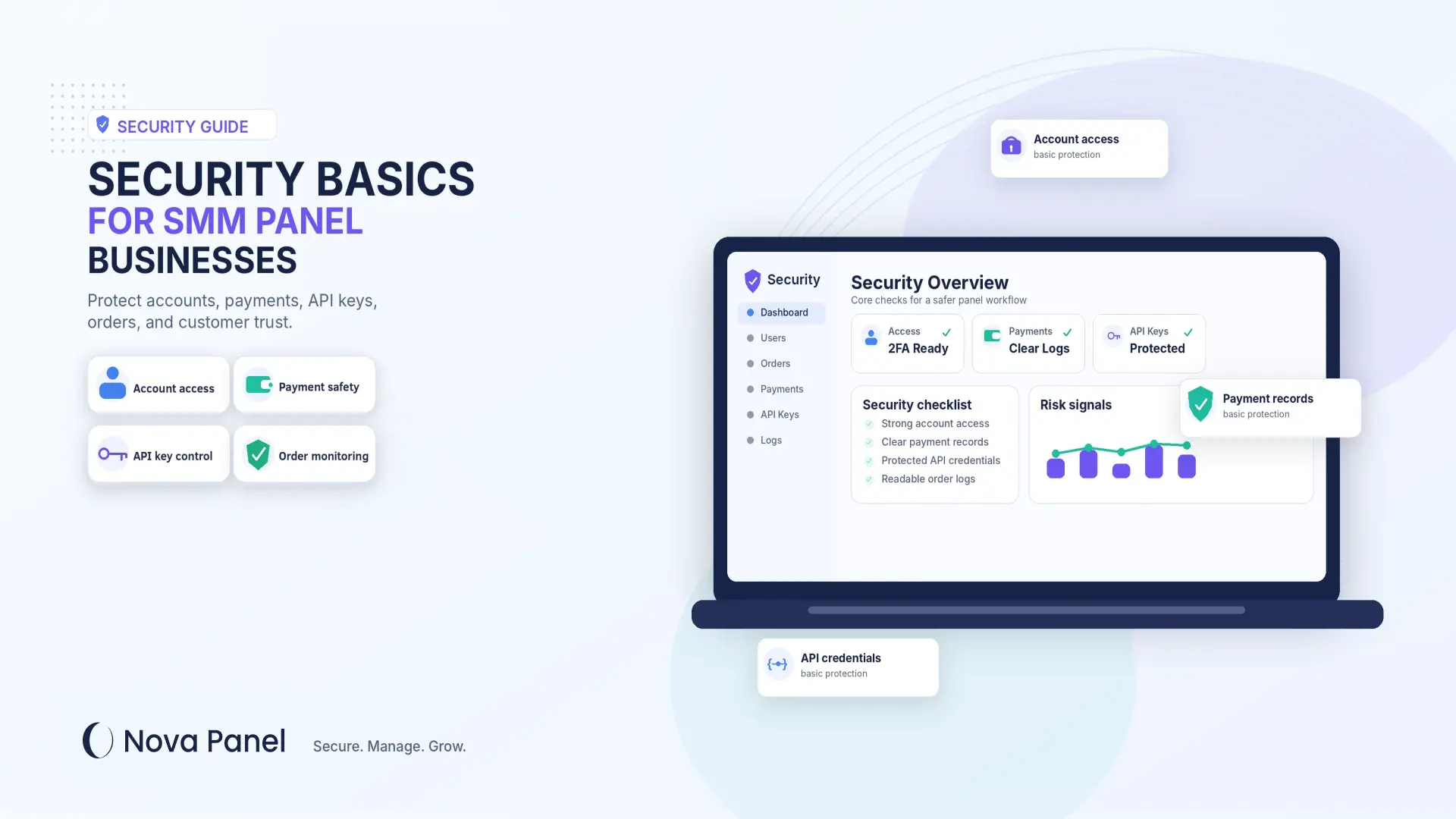
Security Basics for SMM Panel Businesses
Security is one of the most important parts of running an SMM panel business.
Many new panel owners focus first on services, pricing, payments, and marketing. Those things matter, but security should not be treated as something to think about later.
An SMM panel usually handles user accounts, customer balances, payment flows, order data, API connections, provider access, and admin controls. If these parts are not protected properly, the business can face serious problems.
A security issue can damage customer trust, interrupt orders, create financial losses, expose sensitive information, or make the platform difficult to operate.
The goal is not to make security sound complicated.
The goal is to understand the basics clearly.
In this guide, we will explain the key security areas every SMM panel owner should think about, how to reduce common risks, and how a structured platform like Nova Panel helps create a more organized foundation for your business.
Why Security Matters for an SMM Panel
An SMM panel is not just a public website.
It is a working business system that may include:
- user registration
- customer dashboard
- account balances
- payment flows
- order management
- service catalog
- admin panel
- API connections
- provider data
- support requests
- account settings.
Because of this, security affects both the customer experience and the business operation.
If users do not trust your panel, they may not add funds.
If your admin account is compromised, someone may change services, pricing, settings, orders, or customer balances.
If API keys are exposed, unauthorized actions may happen through connected systems.
If payment and balance activity is not tracked clearly, disputes and support problems may increase.
Security is not only about preventing attacks.
It is also about building trust, reducing mistakes, protecting operations, and making sure the business can recover when something goes wrong.
Step 1: Protect User Accounts
User accounts are one of the most important parts of an SMM panel.
Customers use accounts to manage their balance, place orders, view order history, and update settings. If account security is weak, users may lose trust in the platform.
Basic account protection should include:
- strong password requirements
- secure login process
- account recovery controls
- protection against repeated login attempts
- clear session management
- safe handling of user data.
A good SMM panel should make account access simple for real users but harder for suspicious activity.
Security should not make the customer experience painful, but it should reduce obvious risks.
You can also encourage users to:
- use strong passwords
- avoid reusing passwords from other websites
- keep their account details private
- contact support if they notice unusual activity.
Small account security habits can prevent bigger problems later.
Step 2: Secure Admin Access
Admin access is more sensitive than regular user access.
An admin account may be able to manage services, users, orders, payments, balances, settings, and integrations. If an admin account is compromised, the entire business can be affected.
Panel owners should:
- use strong admin passwords
- enable two-factor authentication where available
- avoid sharing admin accounts
- limit access only to trusted people
- remove access when a team member leaves
- review admin activity regularly
- avoid logging in from unsafe devices or public networks.
One of the biggest mistakes is giving full admin access to too many people.
Not everyone needs full control.
A support person may need to view orders.
A finance person may need to review payments.
A service manager may need to update the catalog.
The business owner may need full platform control.
These are different responsibilities, so access should be managed carefully.
Admin security should always be stricter than regular user security.
Step 3: Use Role-Based Access When Possible
Role-based access means people inside your team only get the permissions they actually need.
This reduces risk.
For example:
- support staff may need to view orders and respond to tickets
- finance staff may need to review payments and balances
- service managers may need to update the service catalog
- technical users may need access to integrations
- the owner may need full platform control.
A simple rule works well:
Give people the minimum access needed to do their job.
This is often called the principle of least privilege.
For an SMM panel business, this is practical and important. It reduces accidental changes, limits internal risk, and makes the platform easier to manage as the team grows.
If everyone has full access, one mistake can create a much bigger problem.
Step 4: Protect Customer Balance and Payment Flow
Payments and balances are among the most sensitive parts of an SMM panel business.
Customers need to feel confident when they add funds.
A confusing or poorly managed payment flow can reduce trust and create support problems.
Your panel should make payment rules clear so users understand:
- how to add funds
- which payment methods are available
- minimum top-up amounts
- when balances update
- refund and balance rules
- what happens if payment confirmation is delayed
- how to contact support for payment issues.
From a security perspective, payment access should be controlled carefully.
Only trusted people should be able to manage payment settings, review sensitive payment information, or adjust balances.
Manual balance changes should be handled cautiously.
If balances are changed without clear records, it can create disputes, confusion, and internal risk.
A good system should make payment and balance activity easier to review.
Clear payment rules protect both the customer and the business.
Step 5: Keep API Keys Private
API keys are very important in an SMM panel business.
An API key allows your panel to communicate with another system or provider. It may be used to send orders, check statuses, retrieve service lists, or check provider balance.
Because API keys can allow system-to-system actions, they must be protected carefully.
Panel owners should:
- never share API keys publicly
- avoid sending API keys in open chats
- avoid storing API keys in unsafe documents
- limit who can access API keys
- replace API keys if exposure is suspected
- remove old or unused API keys
- review provider access regularly.
Think of an API key like a business credential.
If someone gets access to it, they may be able to send requests through your account.
API security is not only a developer concern.
It is an operational concern for the business owner.
Step 6: Be Careful With Provider Connections
Many SMM panels rely on provider connections for order processing, status updates, service lists, and automation.
But provider connections also create risk if they are not managed carefully.
Before connecting a provider, check:
- documentation quality
- service stability
- error handling
- status accuracy
- provider reputation
- support response quality
- pricing and margin
- security of API credentials.
Do not connect providers only because they offer low prices.
A cheap provider can still create business problems if orders fail, statuses are unclear, support is slow, or the API is unreliable.
Provider performance affects your customer experience.
If a provider creates delays or errors, customers will usually blame your panel, not the provider.
Choose provider connections carefully and monitor them regularly.
Step 7: Keep the Service Catalog Clean and Controlled
Security is not only about passwords and payments.
A messy service catalog can also create operational risk.
If your catalog contains unclear services, duplicate services, outdated services, or confusing rules, users may place wrong orders or contact support repeatedly.
This creates pressure on the business and increases the chance of mistakes.
A clean catalog should have:
- clear categories
- simple service names
- honest descriptions
- visible pricing
- minimum and maximum limits
- clear order instructions
- rules for partial or canceled orders
- regular review and cleanup.
Do not automatically import huge service lists without review.
A large catalog may look impressive, but it can confuse users and create more support problems.
A controlled catalog is easier to manage, safer for the business, and better for customers.
Step 8: Use HTTPS and Basic Website Protection
Customers should not feel that your website is unsafe.
A professional SMM panel should use HTTPS so that users see a secure connection in the browser.
Basic website protection also includes:
- keeping the domain active and properly configured
- using reliable hosting or infrastructure
- protecting login pages
- keeping software updated
- monitoring for unusual activity
- avoiding unnecessary public technical information.
The website is often the first thing customers see.
If it looks unsafe, outdated, or poorly maintained, users may not trust the platform enough to add funds.
Security and design work together.
A clean, professional, well-maintained platform creates more confidence than a panel that looks abandoned or unstable.
Step 9: Keep Software Updated
Outdated software can create security risks.
If your panel relies on plugins, scripts, libraries, themes, or third-party tools, they need to be maintained.
Updates may fix bugs, improve performance, or close security weaknesses.
For custom-built panels, this means you need a developer or technical team to handle updates and maintenance.
For ready-made platforms, some maintenance may be handled by the platform provider, depending on the solution.
Either way, panel owners should understand that software is not something you launch once and forget.
Security requires ongoing care.
Review your setup regularly and avoid using abandoned tools that are no longer maintained.
An outdated system can become a problem even if it worked well at launch.
Step 10: Create Regular Backups
Even a well-managed business can face technical issues, human mistakes, configuration problems, or data loss.
A backup can help you recover.
Your backup plan should consider:
- how often backups are created
- where backups are stored securely
- who can access backups
- how quickly the business can recover
- whether backups are tested
- what data is included
- how long backups are retained.
A backup that is never tested may not help when you need it.
You should know how recovery works before an emergency happens.
Backups are not only for major incidents.
They also protect against accidental deletions, bad updates, system errors, and operational mistakes.
A business without backups is taking unnecessary risk.
Step 11: Monitor Logs and Activity
Logs help you understand what is happening inside your panel.
They can show important activity such as:
- login attempts
- admin actions
- balance changes
- order updates
- payment events
- API requests
- failed actions
- suspicious behavior
- system errors.
Without logs, troubleshooting becomes guesswork.
If something goes wrong, you need to know what happened, when it happened, and which account or system was involved.
Logs are useful for:
- investigating failed orders
- reviewing admin actions
- detecting unusual activity
- resolving customer disputes
- improving platform reliability
- identifying repeated errors.
Monitoring does not mean staring at logs all day.
It means having enough visibility to understand the system when something needs attention.
A panel owner should not run the business blindly.
Step 12: Watch for Fraud and Abuse
Any online platform that handles accounts, payments, and balances can face abuse.
SMM panel owners should watch for suspicious activity such as:
- repeated failed login attempts
- unusual top-up behavior
- chargeback patterns
- multiple accounts from the same user
- suspicious order patterns
- attempts to exploit pricing mistakes
- unusual support requests
- sudden high-volume activity from new accounts.
Not every unusual action is fraud.
But unusual patterns should be reviewed.
A good fraud prevention approach should be balanced.
You do not want to block real customers unfairly, but you also do not want to ignore obvious risks.
Clear rules, payment monitoring, account checks, and support review can help reduce abuse.
Step 13: Protect Support Channels
Support channels can also create security risks.
Customers may share sensitive information.
Team members may handle account questions.
Support staff may be asked to change balances or order details.
Someone may try to impersonate a customer or team member.
Support processes should be clear.
Your team should know:
- what information can be shared
- how to verify account ownership
- when to escalate a request
- who can change balances
- who can cancel or adjust orders
- how to handle suspicious messages
- what to do if a user reports account access issues.
Never treat support as only a communication channel.
Support is part of your security process.
A careless support response can create bigger problems later.
Step 14: Train Your Team
Security is not only technical.
People are often the weakest point in any business.
If your team does not understand basic security rules, mistakes can happen.
Team members should know:
- how to create strong passwords
- how to protect admin access
- how to recognize suspicious messages
- why API keys must stay private
- how to handle customer data
- how to verify sensitive requests
- when to escalate problems
- what not to share publicly.
Training does not need to be complicated.
Even simple rules can prevent serious issues.
For example:
- do not share passwords
- do not reuse admin passwords
- do not send API keys in public chats
- do not click suspicious links
- do not give users sensitive account details
- do not change balances without proper review.
A team that understands security will make fewer mistakes.
Step 15: Prepare an Incident Response Plan
Many businesses only think about incidents after something goes wrong.
That is a mistake.
An incident response plan helps you act calmly and quickly.
Your plan should answer:
- What should we do if an admin account is compromised?
- What should we do if an API key is exposed?
- What should we do if payments are affected?
- What should we do if user accounts are targeted?
- Who should be contacted first?
- Who can pause services?
- Who can rotate credentials?
- Who communicates with customers?
- How do we restore from backup?
- How do we document what happened?
The goal is not to create fear.
The goal is to be prepared.
When there is a problem, clear steps are better than panic.
Even a simple incident checklist is better than having no plan at all.
Step 16: Be Transparent With Customers
Security also affects communication.
Customers do not need to know every technical detail of your system, but they should understand important rules.
Your website should clearly explain:
- account rules
- payment and balance terms
- refund policy
- order rules
- support process
- privacy-related expectations
- acceptable use rules.
Transparency builds trust.
If customers understand how the platform works, they are less likely to feel confused or misled.
Clear rules also protect your support team.
When a customer asks about balance, refunds, order status, or account access, your team can refer to visible policies instead of improvising every time.
A secure business is also a clear business.
Common Security Mistakes SMM Panel Owners Make
Many security problems start with simple mistakes.
Here are some common ones to avoid.
Mistake 1: Sharing Admin Access Too Widely
Too many people with full admin access creates unnecessary risk.
Use limited permissions when possible.
Mistake 2: Using Weak Passwords
Weak or reused passwords can expose important accounts.
Use strong, unique passwords for admin, provider, email, and payment accounts.
Mistake 3: Ignoring API Key Security
API keys should be treated as sensitive business credentials.
Do not share them casually or store them in unsafe places.
Mistake 4: Not Reviewing Balance Changes
Manual balance changes should be tracked carefully.
Unclear balance adjustments can create disputes and internal risk.
Mistake 5: Skipping Backups
A business without backups has limited recovery options.
Create backups and test recovery.
Mistake 6: Ignoring Logs
Logs help you understand what happened when something goes wrong.
Without logs, troubleshooting is much harder.
Mistake 7: Importing Too Many Services Automatically
A messy service catalog creates support pressure and operational mistakes.
Keep the catalog clean and controlled.
Mistake 8: No Incident Plan
If something goes wrong, the team should know what to do.
Prepare basic response steps in advance.
How Nova Panel Helps Create a More Organized Foundation
Nova Panel is designed for entrepreneurs who want to launch and manage an SMM panel without building the full system from scratch.
Security depends on many factors, including how the business is operated, how access is managed, how payments are handled, how providers are connected, and how the team follows internal rules.
A structured platform helps because it brings important parts of the business into one organized environment.
Nova Panel gives panel owners a foundation for managing:
- customer dashboard
- service catalog
- order management
- balance top-ups
- payment flow
- user accounts
- account settings.
This structure helps reduce chaos.
Instead of managing users, orders, balances, services, and payments through scattered tools, a panel owner can operate from a more organized system.
Security still requires good habits, careful access control, provider review, backups, monitoring, and responsible team behavior.
But a clear platform structure makes these habits easier to maintain.
Nova Panel helps you launch faster, manage your SMM panel more clearly, and build a more professional experience for your customers.
Final Thoughts
Security is not a one-time task.
It is an ongoing part of running an SMM panel business.
You do not need to become a cybersecurity expert to improve your security basics. But you do need to take the topic seriously.
Start with the essentials:
- protect user accounts
- secure admin access
- control team permissions
- protect payment and balance flows
- keep API keys private
- review provider connections
- keep your catalog clean
- use HTTPS
- update software
- create backups
- monitor logs
- watch for fraud
- protect support channels
- train your team
- prepare an incident response plan
- communicate clearly with customers.
The safest businesses are not the ones that never face problems.
They are the ones that prepare, monitor, respond, and improve.
A secure SMM panel is easier to trust.
And trust is one of the most important assets your business can build.
Nova Panel gives you the tools to launch and manage your own SMM panel without building everything from scratch.
FAQ
Why is security important for an SMM panel business?
Security is important because an SMM panel may handle user accounts, balances, payments, orders, API connections, and admin controls. Weak security can damage trust, create financial risk, and interrupt business operations.
What is the most important security step for a new SMM panel?
A good first step is protecting admin access. Use strong passwords, limit who can access the admin area, enable two-factor authentication where available, and remove access for people who no longer need it.
How should SMM panel owners protect API keys?
API keys should be treated like sensitive credentials. Do not share them publicly, do not store them in unsafe documents, limit who can access them, and replace them if you suspect they were exposed.
Why are backups important for SMM panels?
Backups help you recover from technical issues, accidental mistakes, failed updates, or data loss. A backup plan should include regular backups, safe storage, access control, and recovery testing.
Should support staff have full admin access?
Not usually. Support staff should only have the permissions they need to do their work. Giving full admin access to too many people increases risk.
How can I make customers trust my SMM panel?
You can build trust with clear service descriptions, transparent payment rules, visible order statuses, a helpful FAQ, professional support, secure account practices, and a well-maintained website.
Can Nova Panel help with SMM panel security?
Nova Panel gives you a structured foundation for managing users, services, orders, balance top-ups, payment flow, and account settings. Security still depends on good operational practices, but a clear platform structure helps reduce chaos and improve business control.