

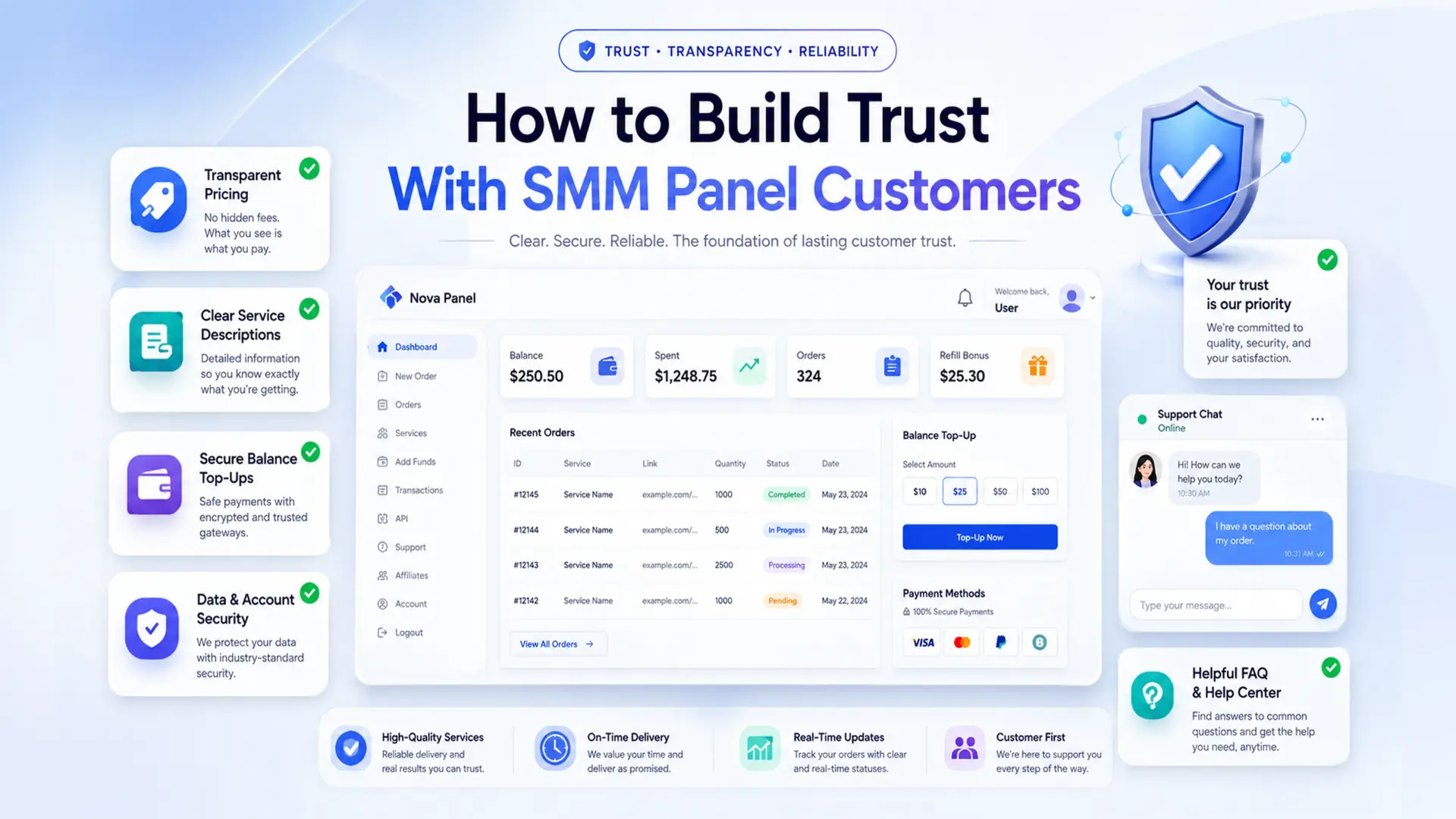
How to Build Trust With SMM Panel Customers
Trust is one of the most important factors in any SMM panel business.
Customers may like your prices. They may like your service catalog. They may even register and browse your dashboard. But if they do not trust your platform, they may never top up their balance or place an order.
This is especially important for new SMM panels.
A new customer does not know your business yet. They want to understand whether your panel is active, organized, transparent, and reliable enough to use.
Trust is not built by one single feature. It is built through the full customer experience:
- clear service descriptions
- transparent pricing
- simple balance top-ups
- understandable order statuses
- helpful support
- clean dashboard experience
- honest communication
- clear rules
- useful educational content.
A trustworthy SMM panel does not need to make unrealistic promises. It needs to make the customer feel confident that they understand what they are buying, how the process works, and where to get help if something goes wrong.
In this guide, we will explain how to build trust with SMM panel customers and how Nova Panel helps create a more organized experience for panel owners and users.
Why Trust Matters for an SMM Panel
An SMM panel is not just a regular website.
It usually asks users to create an account, add funds, choose services, submit order details, and track order progress inside a dashboard. That means customers need to feel comfortable before they take action.
If your panel looks confusing or incomplete, users may hesitate.
Common trust problems include:
- unclear service names
- vague descriptions
- hidden fees
- confusing payment flows
- no visible order statuses
- slow support
- missing FAQ section
- weak Terms of Service
- outdated website content
- messy service catalog
- too many unrealistic claims.
Even if your services are good, poor communication can make the business look unreliable.
Trust directly affects:
- first balance top-ups
- repeat orders
- support workload
- customer retention
- reseller relationships
- brand reputation
- long-term growth.
A strong SMM panel business is not only about getting new users. It is about making users comfortable enough to come back.
Step 1: Make Your Website Look Active and Professional
First impressions matter.
When someone visits your SMM panel for the first time, they quickly judge whether the business feels real and active.
A trustworthy website should look clean, organized, and maintained.
This does not mean it needs to be complicated. In fact, a simple and clear design is often better than a flashy design with too many distractions.
Your website should clearly show:
- what the platform does
- who it is for
- how the order process works
- what users can expect inside the dashboard
- how to contact support
- where to find rules and FAQ
- why the platform is worth using.
Avoid an unfinished look.
Common problems that reduce trust include:
- broken pages
- empty blog section
- unclear navigation
- missing support information
- outdated content
- inconsistent design
- too many generic claims
- confusing pricing pages.
A clean website tells customers:
“This platform is organized.”
A messy website tells customers:
“Be careful.”
Step 2: Use Clear and Honest Service Descriptions
Your service catalog is one of the strongest trust signals inside your panel.
If users do not understand what a service means, they may not order. If they order the wrong thing because the description was unclear, they may blame the panel.
Every service should have a clear and honest description.
A good description should explain:
- what the service is
- who it is suitable for
- what information the user must provide
- minimum and maximum order limits
- what the user should check before ordering
- what limitations may apply
- what happens if an order is partial or canceled.
Avoid vague descriptions such as:
“Best quality service.”
This does not explain anything.
Use language that helps the customer make a decision.
For example:
“Suitable for users who want a simple option for supporting visibility in this content category.”
Or:
“Recommended for customers who need a clear entry-level service with simple order requirements.”
Clear descriptions reduce confusion.
They also reduce support tickets because users can answer many of their own questions before placing an order.
Trust grows when customers feel informed.
Step 3: Avoid Unrealistic Promises
One of the fastest ways to lose trust is to make promises that sound too good to be true.
Customers may click once because of aggressive claims, but they are less likely to return if the experience does not match the promise.
Avoid claims such as:
- guaranteed instant success
- perfect results
- unlimited growth
- overnight business growth
- no risk at all
- always completed instantly
- best in the world.
A serious SMM panel should use careful, professional language.
Instead of writing:
“Guaranteed massive results overnight.”
Use:
“A service designed to support your selected marketing activity within this category.”
Instead of writing:
“Perfect service with no issues.”
Use:
“A popular option for users looking for a simple and clear starting point.”
Honest language may feel less aggressive, but it builds stronger long-term trust.
Customers prefer clear expectations. They want to know what they are ordering and what the process looks like.
When expectations are realistic, users are less likely to feel disappointed or misled.
Step 4: Keep Pricing Transparent
Pricing has a direct impact on trust.
If customers do not understand what they are paying for, they may hesitate before adding funds.
Your pricing should be:
- visible
- simple
- consistent
- easy to compare
- connected to clear service descriptions
- shown before order submission.
Avoid hidden fees or unclear calculations.
Before submitting an order, the user should understand:
- service price
- quantity
- final cost
- balance deduction
- minimum order amount
- maximum order amount
- any important pricing rules.
If you use reseller pricing, volume pricing, or different pricing tiers, explain them clearly.
Do not make users guess.
Confusing pricing creates doubt.
Clear pricing creates confidence.
Also, avoid competing only on the lowest price. Cheap pricing can attract attention, but trust comes from the full experience: clarity, support, order flow, status tracking, and consistency.
Customers do not only pay for the service.
They also pay for confidence and convenience.
Step 5: Make Balance Top-Ups Simple and Clear
Balance top-ups are a critical trust moment.
A customer may browse your panel and like your services, but adding funds is a bigger commitment.
If the top-up process feels confusing or unclear, users may stop.
A trustworthy balance flow should explain:
- supported payment methods
- minimum top-up amount
- how long confirmation may take
- what happens after payment
- where the balance will appear
- what to do if balance is not updated
- refund and balance rules.
The process should feel predictable.
A simple flow may look like this:
- The user chooses a top-up amount.
- The user selects a payment method.
- The user confirms the payment.
- The balance updates.
- The user can place an order.
If something can take time, explain it before the user asks.
For example:
“Some payments may require additional confirmation before the balance appears.”
Clear communication reduces anxiety.
The customer should never feel like their money disappeared into a black box.
When users understand the balance process, they are more likely to trust the panel and place future orders.
Step 6: Show Clear Order Statuses
After a customer places an order, they want to know what is happening.
If the dashboard does not show clear statuses, customers may contact support repeatedly.
Clear order statuses help users feel in control.
Common order statuses may include:
- Pending
- In Progress
- Completed
- Partial
- Canceled.
The exact status names are less important than consistency.
Do not show raw technical messages to customers.
Do not use different terms for the same situation.
Do not leave users guessing.
For example, if an order is still being processed, show a clear status such as:
In Progress
If only part of the order was completed, show:
Partial
If the order cannot continue, show:
Canceled
Clear statuses reduce support workload and improve trust.
They show customers that the system is organized and that their order has not been lost.
A good status system can prevent many unnecessary support questions.
Step 7: Explain Rules Before Problems Happen
Rules are not only legal protection.
They are part of customer trust.
Users should know how your panel handles common situations before something goes wrong.
Important rules may include:
- order cancellation rules
- partial order rules
- balance refund rules
- minimum and maximum order limits
- payment confirmation rules
- service-specific limitations
- support response expectations
- account usage rules.
If rules are hidden or unclear, customers may feel frustrated when issues happen.
For example, if partial orders are possible, explain what “Partial” means.
If some payments may take longer to confirm, explain that before users contact support.
If some order details cannot be changed after submission, make that clear before the order is placed.
Good rules do not scare customers away.
Good rules create clarity.
Customers trust platforms that explain how things work.
Step 8: Build a Helpful FAQ Section
A helpful FAQ section is one of the easiest ways to build trust.
It shows that you understand customer questions and have taken time to answer them.
Your FAQ should cover practical questions such as:
- How does the panel work?
- How do I add funds?
- How do I place an order?
- What do order statuses mean?
- What happens if an order is partial?
- Can I cancel an order?
- How long does balance confirmation take?
- How do I contact support?
- How do reseller accounts work?
- What should I check before placing an order?
Avoid generic FAQ answers.
Make them specific and useful.
For example, instead of writing:
“Contact support for help.”
Write:
“If your balance has not updated after payment confirmation, contact support with your account email, payment amount, and transaction reference.”
That answer is more useful because it tells the customer exactly what to do.
A strong FAQ reduces support workload and builds confidence.
It also makes the business feel more serious and prepared.
Step 9: Provide Responsive Customer Support
Even with automation, support still matters.
Customers need to know that there is a real support process behind the platform.
Good support does not always mean instant replies. It means clear, respectful, and helpful communication.
A trustworthy support process should be:
- easy to find
- polite
- consistent
- practical
- focused on solving the issue
- clear about what information is needed.
Support should avoid vague replies.
Instead of writing:
“Wait.”
Write something more helpful:
“Your order is currently in progress. We are monitoring the status and will update you if the provider returns a partial or canceled result.”
Instead of:
“Send details.”
Use:
“Please send your order ID, account email, and a short description of the issue so we can check it faster.”
Support quality affects trust more than many owners realize.
When something goes wrong, customers judge the business by how the team responds.
A problem handled clearly can actually increase trust.
A problem ignored can destroy it.
Step 10: Use Educational Blog Content
A blog is not only for SEO.
It is also a trust-building tool.
When users see that your website has useful guides, explanations, and educational content, the business feels more active and professional.
Good blog topics for an SMM panel may include:
- What Is an SMM Panel and How Does It Work?
- How to Start Your Own SMM Panel Business
- How to Choose the Right SMM Services
- SMM Panel Pricing Strategy
- API Integration for SMM Panels
- Custom SMM Panel vs Ready-Made Platform
- 10 Mistakes to Avoid When Launching an SMM Panel
Educational content shows that your business understands the market and can explain it clearly.
This helps different types of visitors:
- beginners learn the basics
- resellers understand workflows
- agencies evaluate the platform
- business owners compare options
- existing customers solve common questions.
A blog also helps your website look alive.
A panel with useful articles feels more trustworthy than a panel with only a price list and no explanation.
Content builds confidence before the customer even creates an account.
Step 11: Keep Your Service Catalog Clean and Updated
An outdated catalog can reduce trust.
If users see broken services, unclear names, old prices, or categories that do not make sense, they may assume the whole platform is poorly maintained.
A trustworthy catalog should be reviewed regularly.
Check:
- service names
- descriptions
- prices
- categories
- minimum and maximum order limits
- status behavior
- customer complaints
- repeated support questions
- weak or outdated services.
Remove services that create too many problems.
Improve descriptions that confuse users.
Update prices when costs change.
Organize categories when the list becomes too large.
A clean catalog tells users:
“This panel is maintained.”
A messy catalog tells users:
“Nobody is watching this carefully.”
Service management is not a one-time task.
It is an ongoing trust-building process.
Step 12: Be Transparent When Problems Happen
No platform is perfect.
Orders can delay.
Payments can require confirmation.
Services can change.
Providers can return partial results.
Technical issues can happen.
The question is not whether problems will ever happen.
The question is how your business communicates when they do.
Customers do not expect perfection. But they do expect honesty and clarity.
When an issue happens, explain:
- what is affected
- what the customer should do
- whether the order is still being processed
- whether support is checking it
- whether balance credit may apply
- when the next update may happen.
Avoid silence.
Silence creates fear.
A short, honest update is better than no update.
For example:
“We are currently reviewing delayed orders in this category. Existing orders remain visible in your dashboard, and statuses will update as soon as new information is available.”
This type of communication helps customers feel that the business is active and responsible.
Trust is built not only when everything works.
Trust is also built when problems are handled professionally.
Step 13: Protect User Accounts and Access
Trust also depends on how seriously you treat user accounts and access.
Panel owners should think about basic security and account protection.
Customers need to feel that their account, balance, and order history are handled responsibly.
Important practices may include:
- using secure login processes
- encouraging strong passwords
- limiting admin access
- protecting sensitive credentials
- avoiding public exposure of API keys
- reviewing access permissions
- keeping support communication professional
- not asking for unnecessary sensitive information.
Do not ask customers for information you do not need.
Do not request unnecessary account credentials.
Do not expose internal technical details to users.
Security is not only about technical systems.
It is also about responsible processes and communication.
A trustworthy panel should make users feel that their account is treated with care.
Step 14: Make the Dashboard Easy to Use
A confusing dashboard can reduce trust even if the backend works well.
Customers judge the platform by what they see and use.
A good dashboard should make it easy to:
- view balance
- add funds
- browse services
- place orders
- check order history
- track statuses
- find support
- manage account settings.
The dashboard should feel predictable.
Users should not need to guess where to go.
If a first-time customer can understand the basic flow quickly, the panel feels more professional.
Good user experience builds trust because it reduces uncertainty.
A dashboard does not need to be overloaded with features.
It needs to make the most important actions easy.
A clean dashboard says:
“You are in control.”
A confusing dashboard says:
“Something might go wrong.”
Step 15: Create Trust for Resellers and Repeat Customers
Resellers and repeat customers often need more confidence than one-time users.
They may place more orders, manage client requests, or rely on your panel regularly.
To build trust with resellers, focus on:
- consistent pricing
- clear reseller rules
- stable service categories
- useful order history
- predictable balance flow
- good support
- transparent service changes
- reliable communication
- clear refund and partial policies.
Resellers care about efficiency.
They need to know that your panel will help them manage repeat orders without constant confusion.
If your panel is organized, resellers are more likely to continue using it.
If services change without explanation, prices move randomly, or support is unclear, resellers may leave.
Trust with resellers is built through consistency.
How Nova Panel Helps You Build Customer Trust
Nova Panel is designed for entrepreneurs who want to launch and manage an SMM panel without building the full system from scratch.
Trust is easier to build when your business has a clear structure.
Nova Panel helps organize the core parts of an SMM panel experience, including:
- customer dashboard
- service catalog
- order management
- balance top-ups
- payment flow
- user accounts
- account settings.
This gives panel owners a better foundation for creating a more trustworthy customer experience.
You can focus on:
- writing clear service descriptions
- organizing categories
- setting transparent pricing
- improving support
- creating helpful FAQ content
- monitoring orders
- building useful blog content
- improving the customer journey over time.
A platform alone does not create trust automatically.
But a structured platform makes it easier to deliver the clarity, consistency, and usability that customers expect.
Nova Panel gives you the tools to launch faster, manage your SMM panel more easily, and build a more professional experience for your customers.
Final Thoughts
Trust is not built by a single promise.
It is built through every part of the customer experience.
Customers trust an SMM panel when they understand:
- what the platform does
- what services are available
- how pricing works
- how to add funds
- how to place an order
- how to track status
- what rules apply
- how to contact support
- what happens when something goes wrong.
A trustworthy SMM panel is clear, organized, transparent, and easy to use.
It does not rely on unrealistic promises.
It relies on strong structure, honest communication, clean design, helpful support, and consistent service management.
If you want customers to return, do not only focus on getting the first order.
Focus on creating an experience they can understand, trust, and use again.
Nova Panel gives you the tools to organize services, manage orders, handle balance top-ups, and build a better SMM panel experience without creating everything from scratch.
FAQ
Why is trust important for an SMM panel?
Trust is important because customers need to create an account, add funds, place orders, and track progress through your panel. If the platform feels unclear or unreliable, users may not complete the first balance top-up or return for future orders.
How can I make my SMM panel look more trustworthy?
Use a clean design, clear service descriptions, transparent pricing, visible order statuses, helpful FAQ content, clear payment rules, and responsive support. The platform should feel active, organized, and easy to understand.
What reduces trust in an SMM panel?
Trust can be reduced by vague service names, hidden fees, confusing payments, unclear order statuses, slow support, unrealistic promises, outdated content, missing rules, and a messy service catalog.
Why are clear order statuses important?
Clear order statuses help customers understand what is happening after they place an order. This reduces support questions and makes the panel feel more organized and reliable.
Should an SMM panel have a blog?
Yes, a blog can help build trust by educating customers and showing that the business understands the market. It also makes the website feel more active and useful.
How can support improve customer trust?
Support improves trust when it is easy to reach, polite, clear, and helpful. Even when problems happen, professional communication can make customers feel that the business is responsible and active.
How can Nova Panel help build trust with customers?
Nova Panel gives panel owners a structured foundation for managing services, orders, balance top-ups, payment flow, user accounts, and account settings. This helps create a clearer and more professional customer experience.