

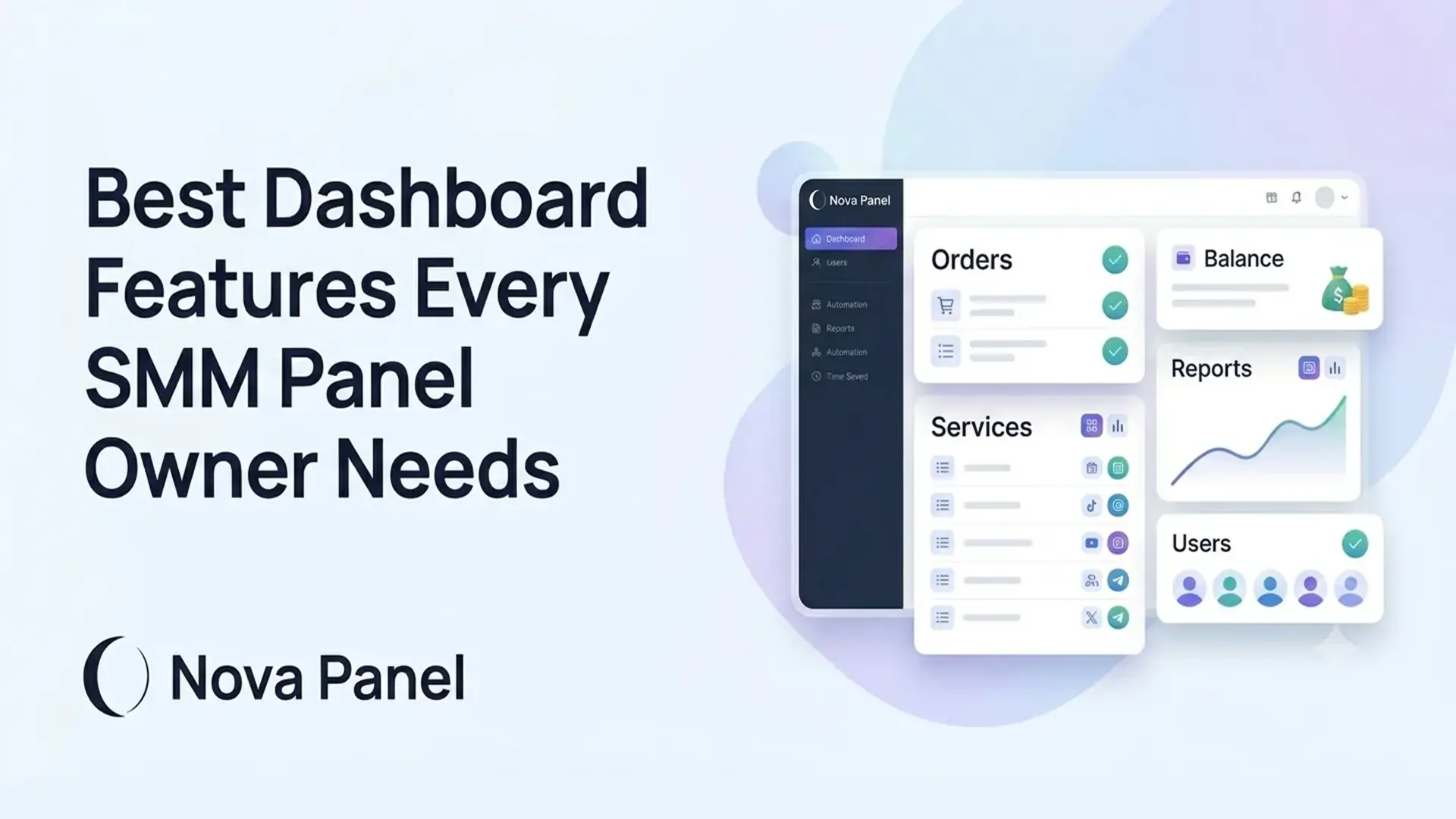
Best Dashboard Features Every SMM Panel Owner Needs
A dashboard is one of the most important parts of an SMM panel.
It is the place where users add funds, place orders, track statuses, view history, and manage their accounts. For the panel owner, the dashboard is also where the business becomes manageable: orders, services, users, payments, balances, support, and performance all need to be organized in one clear system.
A good SMM panel dashboard makes the platform feel professional.
A weak dashboard creates confusion.
If users cannot find their balance, do not understand how to place an order, or cannot track their order status, they will contact support or leave. If the owner cannot quickly review orders, payments, services, and user activity, daily operations become harder as the business grows.
The best dashboard is not the one with the most buttons.
The best dashboard is the one that helps customers and owners clearly understand what to do next.
In this article, we will explain the most important dashboard features every SMM panel owner needs, why they matter, what mistakes to avoid, and how Nova Panel helps create a more organized foundation for managing an SMM panel business.
What Is an SMM Panel Dashboard?
An SMM panel dashboard is the central control area inside the platform.
For customers, the dashboard helps them:
- view their available balance
- add funds
- browse the service catalog
- place orders
- track order statuses
- view order history
- check transaction history
- manage account settings
- contact support.
For the owner or admin, the dashboard helps manage the business:
- user accounts
- service catalog
- pricing
- incoming orders
- order statuses
- payment activity
- balance top-ups
- support workflow
- system settings
- reports and business performance.
In simple words, the dashboard is where the SMM panel becomes a working system.
A regular website may only show information.
An SMM panel dashboard allows people to take action.
That is why the dashboard experience matters so much.
Customer Dashboard vs Admin Dashboard
An SMM panel usually needs two dashboard experiences:
- customer dashboard
- admin dashboard.
They are connected, but they serve different purposes.
Customer Dashboard
The customer dashboard should be simple.
A user should be able to log in and quickly understand:
- how much balance they have
- how to add funds
- how to place an order
- where to track the order
- where to see order history
- how to contact support.
The customer does not need to see technical details.
They need a clean, easy-to-use interface that removes friction and helps them complete basic actions.
Admin Dashboard
The admin dashboard should give the owner control.
The owner needs to see:
- new orders
- failed or delayed orders
- payment activity
- users
- service performance
- balance top-ups
- support issues
- business metrics.
The admin dashboard is usually more detailed because the owner needs information to run the business.
A strong SMM panel platform should support both sides: a simple customer experience and a clear admin workflow.
Why Dashboard Features Matter for SMM Panel Owners
Dashboard features are not only about design.
They affect how the business operates.
A good dashboard can help with:
- faster order placement
- fewer support questions
- better payment clarity
- easier service management
- cleaner order tracking
- better customer trust
- smoother scaling
- stronger retention
- more organized admin work.
A poor dashboard can create problems:
- users cannot find important actions
- customers ask the same questions repeatedly
- orders become harder to manage
- payments are unclear
- support workload increases
- the platform feels unfinished or unreliable.
For an SMM panel, the dashboard is part of the product.
If the dashboard is clear, users feel more confident.
If the dashboard is confusing, even good services may not be enough to keep customers.
The 25 Best Features Every SMM Panel Dashboard Needs
A good SMM panel dashboard should help customers complete actions easily and help owners manage the business clearly.
Below are the most important features to consider.
1. Clear Dashboard Overview
The first screen after login should give users a clear overview.
A good dashboard overview may show:
- current balance
- Add Funds button
- New Order button
- recent orders
- recent transactions
- important notifications
- support link
- account status.
The goal is simple:
Help users understand what they can do next.
A new customer may want to add funds. A repeat customer may want to place another order. A reseller may want to review recent orders.
The dashboard should make these actions obvious.
Avoid filling the first screen with too many widgets.
A clean overview is better than a crowded dashboard.
2. Visible Account Balance
Balance visibility is one of the most important SMM panel dashboard features.
Users should always be able to see their current balance.
Balance should be visible in places such as:
- dashboard header
- account summary card
- Add Funds page
- order form
- order confirmation step.
A visible balance helps users understand whether they can place an order or need to add funds.
It also helps reduce support questions such as:
- “How much balance do I have?”
- “Was my payment added?”
- “Why was my balance deducted?”
- “How much do I have left?”
Balance is connected to trust.
If users cannot easily see it, they may feel uncertain.
A clear balance display makes the platform feel more professional.
3. Simple Add Funds Button
The Add Funds button should be easy to find.
If users want to top up but cannot quickly find where to do it, the panel may lose potential orders.
Common labels include:
- Add Funds
- Top Up Balance
- Add Balance
- Deposit.
The wording should be simple and consistent.
The Add Funds button can appear:
- near the balance
- in the dashboard header
- in the sidebar
- inside the account menu
- on the order page when balance is too low.
The payment flow should feel natural.
A user should not need to search through several pages just to add money.
A strong dashboard makes the next step obvious.
4. Clean Balance Top-Up Page
The Add Funds button should lead to a clear balance top-up page.
This page should show:
- current balance
- top-up amount options
- custom amount field, if available
- payment methods
- minimum top-up amount
- fee information, if relevant
- processing time
- payment instructions
- payment status
- transaction history link.
This page needs to be simple because money is involved.
If the top-up page feels confusing, users may hesitate.
If it is clear, users feel more confident adding funds.
A good balance top-up page should answer basic questions before the user contacts support:
- How do I add funds?
- What is the minimum amount?
- Which payment methods are available?
- How long will it take?
- Will I see the transaction later?
- What happens if payment fails?
The clearer the page, the fewer payment-related support tickets you are likely to receive.
5. Organized Service Catalog
The service catalog is where users choose what to order.
A messy catalog creates confusion and support problems.
A good SMM panel dashboard should include a service catalog that is:
- easy to browse
- grouped into clear categories
- searchable
- understandable for beginners
- useful for repeat customers
- connected to clear pricing
- supported by short descriptions.
Each service should have:
- clear name
- category
- price
- minimum and maximum quantity
- required input instructions
- important rules
- status or availability notes, if needed.
The goal is not to add the largest possible number of services.
The goal is to help users find the right service quickly and place orders correctly.
A clean catalog creates cleaner orders.
6. Search and Filters for Services
As the service catalog grows, search and filters become important.
Users should be able to find services without scrolling through long lists.
Useful filters may include:
- category
- service type
- price range
- availability
- popularity
- beginner-friendly options
- reseller-focused options.
Search should be simple and fast.
For repeat customers and resellers, service search saves time.
For new users, filters help reduce confusion.
If users cannot find the service they need, they may leave or contact support.
A searchable catalog makes the dashboard easier to use.
7. Simple Order Form
The order form is one of the most important parts of the customer dashboard.
A good order form should be simple enough for a new user to understand.
It should include:
- service selection
- required link or input field
- quantity
- price calculation
- final cost
- current balance
- confirmation button
- important service notes.
The form should explain what the user needs to enter.
For example:
- “Enter the full link.”
- “Check that the target page is accessible.”
- “Review quantity before submitting.”
- “Orders cannot always be changed after submission.”
A good order form reduces mistakes.
A confusing order form creates failed orders and support tickets.
The customer should know exactly what they are submitting before the order is placed.
8. Final Price Preview Before Submission
Before a customer submits an order, they should see the final cost.
This is especially important because SMM panels usually deduct order cost from account balance.
The dashboard should show:
- selected service
- quantity
- price per unit, if relevant
- total order cost
- current balance
- balance after order, if possible.
This prevents surprises.
For example:
- Current balance: $50.00
- Order cost: $7.50
- Balance after order: $42.50
When users understand the deduction before submission, they are less likely to ask support later.
Transparent pricing and balance deduction build trust.
9. Order History
Order history is essential for an SMM panel dashboard.
Customers need to see what they ordered and what happened afterward.
A useful order history page should include:
- order ID
- order date
- service name
- quantity
- total cost
- status
- last update
- action buttons, if needed.
Order history helps customers track activity.
It is especially important for resellers and repeat users who may place many orders over time.
Without order history, customers rely on memory, screenshots, or support messages.
That creates unnecessary friction.
A visible order history makes the platform feel more organized.
10. Clear Order Statuses
Order statuses reduce support questions.
After placing an order, customers want to know what is happening.
Common statuses may include:
- Pending
- In Progress
- Completed
- Partial
- Canceled
- Failed
- Refunded.
The exact statuses depend on your workflow, but they should be simple and consistent.
Avoid showing raw technical messages to customers.
Use customer-friendly explanations.
For example:
Pending:
Your order has been received and is waiting to start.
In Progress:
Your order is currently being processed.
Completed:
Your order has been completed.
Partial:
Part of your order was completed. The remaining amount may be credited according to platform rules.
Clear statuses help customers feel informed.
They also reduce repetitive support questions.
11. Order Search and Filters
Customers and admins both benefit from order search.
For customers, order filters help them find past orders.
For admins, filters are essential for managing volume.
Useful order filters may include:
- order ID
- date range
- service
- category
- status
- customer
- failed orders
- partial orders
- canceled orders.
As order volume grows, filters become more important.
Without filters, managing orders becomes slow and frustrating.
A good dashboard should help admins quickly find:
- pending orders
- delayed orders
- failed orders
- orders from one customer
- orders for one service
- orders from a specific time period.
Order search turns chaos into manageable information.
12. Transaction History
Transaction history is important for trust and support.
Customers should be able to see:
- balance top-ups
- order deductions
- refunds
- credits
- payment statuses
- dates
- transaction references, if available.
Admins need transaction history too.
It helps resolve questions such as:
- Was the payment received?
- When was balance added?
- Why did the balance change?
- Was a refund or credit issued?
- Which order deducted the balance?
Without transaction history, payment and balance issues become harder to solve.
A clear transaction history protects both the customer and the business.
13. Notifications and Alerts
A dashboard should help users and admins notice important events.
For customers, notifications may include:
- balance updated
- order created
- order status changed
- payment pending
- payment completed
- order canceled or partial
- support response.
For admins, alerts may include:
- failed orders
- delayed orders
- payment issues
- low operational balance
- unusual activity
- support requests
- services with repeated issues.
Notifications should be useful, not overwhelming.
Too many notifications create noise.
The goal is to highlight important changes that require attention.
Good notifications reduce uncertainty and help the business respond faster.
14. Support Access
Support should be easy to find from the dashboard.
Customers should not need to search for help when something goes wrong.
A dashboard should include:
- support link
- FAQ link
- ticket or contact form
- order ID instructions
- payment issue instructions
- expected response information
- common help topics.
Support should be connected to the order and payment workflow.
For example, if a customer has an issue with an order, they should know to include the order ID.
If they have a payment issue, they should know where to find the transaction reference.
Clear support access reduces frustration.
It also helps support teams respond faster.
15. FAQ and Help Center
A good dashboard should connect users to helpful self-service content.
An FAQ or help center can answer common questions such as:
- How do I add funds?
- How do I place an order?
- What do order statuses mean?
- What happens if an order is partial?
- How do refunds or balance credits work?
- Where can I see transaction history?
- How do I contact support?
Self-service content reduces support workload.
It also makes users feel more confident.
If customers can find answers quickly, they are less likely to open support tickets for basic questions.
A helpful dashboard teaches users how to use the platform.
16. Admin Order Management
For the owner, admin order management is one of the most important dashboard features.
The admin dashboard should make it easy to review and manage orders.
Useful admin order features may include:
- order list
- order details
- status filters
- customer information
- service information
- order ID
- payment or balance deduction record
- internal notes
- failed order view
- partial or canceled order view
- search and filters
- timestamps.
The owner should be able to answer quickly:
- Which orders are pending?
- Which orders failed?
- Which services create the most issues?
- Which customers need support?
- Which orders need review?
A strong admin order dashboard helps the owner stay in control as volume grows.
17. Service Management Tools
The owner needs a way to manage the service catalog.
Service management features may include:
- add services
- edit service names
- organize categories
- update descriptions
- set prices
- define minimum and maximum quantities
- set service rules
- pause or remove services
- review service performance
- mark services as active or inactive.
Service management matters because the catalog affects everything:
- customer understanding
- order quality
- support workload
- pricing
- profitability
- trust.
A messy service catalog creates messy orders.
A clean service catalog supports a better customer experience.
18. User Management
An SMM panel owner needs to manage users clearly.
User management features may include:
- user list
- account details
- balance overview
- order history
- transaction history
- support history
- account status
- user roles or access levels
- reseller or special pricing status, if relevant.
User management is important for support and growth.
For example, if a customer contacts support, the admin should quickly see their balance, orders, transactions, and account activity.
If the panel serves resellers, the owner may need to identify repeat buyers or high-volume customers.
A good user management system makes support faster and more accurate.
19. Pricing and Margin Visibility
Pricing is a major part of SMM panel success.
The dashboard should help the owner manage pricing clearly.
Useful pricing features may include:
- service price editing
- category pricing visibility
- reseller pricing options
- margin notes
- cost tracking, if available
- price update history
- minimum order settings
- minimum top-up settings.
Not every panel needs advanced pricing tools from day one.
But the owner should be able to keep prices organized.
Pricing mistakes can hurt profit.
If prices are unclear or outdated, the business may lose margin or confuse customers.
A good dashboard helps pricing stay manageable.
20. Reports and Analytics
The dashboard should help the owner understand what is happening inside the business.
Useful reports may include:
- total users
- active users
- total orders
- completed orders
- failed orders
- partial orders
- canceled orders
- top-up volume
- average top-up amount
- most ordered services
- services with most issues
- repeat customers
- support tickets
- revenue or balance activity
- conversion from top-up to order.
Reports help owners make better decisions.
For example:
If many users add funds but do not place orders, the service catalog may be confusing.
If one service creates many failed orders, it may need review.
If support questions increase, the FAQ may need improvement.
Without data, the owner guesses.
With data, the owner can improve the panel step by step.
21. API or Provider Monitoring
If the panel uses API connections or external provider workflows, the admin dashboard should help monitor important activity.
Useful monitoring information may include:
- provider status
- failed requests
- delayed status updates
- service mapping
- provider balance, if relevant
- API response logs
- error messages
- order routing notes
- service availability.
The owner does not need to become a developer.
But they need enough visibility to understand when something requires attention.
API and provider monitoring can help prevent small issues from becoming customer problems.
22. Security and Account Settings
Dashboard security matters because users manage balance, orders, and account information.
A good dashboard should include clear account settings.
Users should be able to:
- update profile information
- manage password
- review account details
- access support
- understand account rules.
Admins should also protect access to important areas.
Admin security habits may include:
- limiting admin access
- using strong passwords
- reviewing account activity
- protecting payment and balance records
- controlling who can edit services or prices.
Security is part of trust.
A dashboard that handles balance and orders should feel organized and responsible.
23. Mobile-Friendly Dashboard
Many users may access the panel from mobile devices.
The dashboard should work well on smaller screens.
Important mobile areas include:
- login
- balance display
- Add Funds button
- order form
- service catalog
- payment flow
- order status page
- transaction history
- support access.
A dashboard that works well on desktop but feels confusing on mobile can reduce conversions.
Buttons should be easy to tap.
Forms should be readable.
Statuses should be clear.
The user should be able to add funds, place orders, and track activity without struggling.
Mobile-friendly design is important for a modern SMM panel.
24. Clear Navigation
Dashboard navigation should be simple.
Users should quickly find:
- Dashboard
- New Order
- Services
- Add Funds
- Orders
- Transactions
- Support
- Account Settings.
Admins should quickly find:
- Orders
- Users
- Services
- Payments
- Reports
- Settings
- Support.
Avoid hiding important actions.
Avoid using unclear menu names.
Navigation should help users move through the platform without thinking too much.
A clear dashboard reduces friction.
25. Branding and Consistent Interface
A dashboard should feel like part of your brand.
Consistent design builds trust.
Branding can include:
- logo
- colors
- typography
- button style
- page layout
- tone of instructions
- support messages
- confirmation messages.
Branding is not only about looking nice.
It helps users feel that the platform is serious and maintained.
A dashboard with inconsistent design, random labels, and messy pages can make users hesitate.
A clean and consistent dashboard supports customer confidence.
Dashboard Features Checklist for SMM Panel Owners
Here is a practical checklist.
A strong SMM panel dashboard should include:
- clear dashboard overview
- visible balance
- simple Add Funds button
- clean balance top-up page
- organized service catalog
- service search and filters
- simple order form
- final price preview
- order history
- clear order statuses
- order search and filters
- transaction history
- customer notifications
- admin alerts
- support access
- FAQ or help center
- admin order management
- service management tools
- user management
- pricing controls
- reports and analytics
- API or provider monitoring, if needed
- account settings
- mobile-friendly layout
- clear navigation
- consistent branding.
You do not need every advanced feature on day one.
But the core experience should be clear from the beginning.
Customers should know how to add funds, place orders, and track statuses.
Owners should know how to manage services, orders, users, and payments.
Common Dashboard Mistakes in SMM Panels
Many dashboard problems come from unclear structure.
Here are common mistakes to avoid.
Mistake 1: Hiding Important Actions
If Add Funds, New Order, or Order History are hard to find, users may leave or contact support.
Important actions should be visible.
Mistake 2: Showing Too Much at Once
A dashboard full of widgets can overwhelm users.
Start with the most important actions and information.
Mistake 3: No Clear Order Statuses
Customers need to understand what happens after they place an order.
Use simple, consistent statuses.
Mistake 4: Weak Service Catalog Structure
A messy catalog creates confusion and failed orders.
Use categories, descriptions, pricing, and rules.
Mistake 5: No Transaction History
Without transaction history, payment and balance questions are harder to solve.
Every top-up and deduction should be clear.
Mistake 6: Poor Mobile Experience
If the dashboard is hard to use on mobile, customers may not complete top-ups or orders.
Test the full workflow on smaller screens.
Mistake 7: No Admin Filters
As order volume grows, admins need search and filters.
Without them, order management becomes chaotic.
Mistake 8: Raw Technical Messages
Do not show confusing technical messages to customers.
Use simple customer-friendly language and keep technical details for admins.
Mistake 9: No Support Path
Users should always know where to get help.
Support links and FAQ should be easy to find.
Mistake 10: Ignoring Dashboard Data
Reports and analytics help the owner improve.
If you do not track activity, you are guessing.
How to Choose Dashboard Features for Your Stage
Not every panel needs the same dashboard on day one.
The right features depend on your stage.
Early Stage
At the beginning, focus on essentials:
- account registration
- customer dashboard
- balance display
- Add Funds page
- service catalog
- order form
- order history
- order statuses
- support access
- basic admin order management.
The goal is to launch with a clear and usable workflow.
Growth Stage
As orders increase, add stronger management tools:
- order filters
- transaction history
- service search
- admin alerts
- user management
- pricing controls
- reporting
- FAQ and self-service content.
The goal is to reduce manual work and support pressure.
Scaling Stage
As the business becomes more active, focus on control and optimization:
- deeper analytics
- service performance review
- provider or API monitoring
- reseller workflows
- advanced support processes
- role-based admin access
- stronger reporting.
The goal is to keep the platform organized as volume grows.
How Nova Panel Helps With Dashboard Structure
Nova Panel is designed for entrepreneurs who want to launch and manage an SMM panel without building the full system from scratch.
A strong SMM panel dashboard needs structure for:
- customer dashboard
- service catalog
- order management
- balance top-ups
- payment flow
- user accounts
- account settings.
Nova Panel helps provide this foundation, so panel owners can focus more on the business side:
- choosing the right services
- setting prices
- improving customer experience
- supporting users
- creating content
- building partnerships
- growing over time.
A good dashboard helps customers understand what to do next.
It also helps owners manage the business without losing control.
Nova Panel gives you the tools to launch faster, manage your SMM panel more easily, and build a more professional customer experience without creating every technical layer from scratch.
Final Thoughts
The dashboard is the heart of an SMM panel.
It is where customers add funds, place orders, track statuses, review history, and manage their account.
It is also where owners manage services, orders, users, payments, support, and growth.
A strong dashboard should be clear, organized, and easy to use.
It should help customers feel confident and help owners reduce manual work.
The most important dashboard features include:
- visible balance
- simple Add Funds flow
- organized service catalog
- clear order form
- order history
- order statuses
- transaction history
- support access
- admin order management
- service management
- user management
- reports and analytics
- mobile-friendly design.
The best dashboard is not the one with the most features.
It is the one that makes the business easier to operate and the customer experience easier to understand.
Nova Panel gives you the tools to manage dashboards, services, orders, balance top-ups, payment flow, users, and account settings without building everything from scratch.
FAQ
What is an SMM panel dashboard?
An SMM panel dashboard is the main area where customers manage balance, place orders, track statuses, view history, and manage account settings. For owners, it also helps manage users, services, payments, orders, and reports.
What dashboard features are most important for customers?
Important customer dashboard features include visible balance, Add Funds button, service catalog, order form, order history, order statuses, transaction history, support access, and account settings.
What dashboard features are most important for SMM panel owners?
Important owner dashboard features include admin order management, service management, user management, payment visibility, transaction history, order filters, support workflow, reports, and pricing controls.
Why is order history important in an SMM panel dashboard?
Order history helps users track past orders and reduces support questions. It is especially important for repeat customers and resellers who manage many orders over time.
Why should an SMM panel dashboard show balance clearly?
Balance visibility helps users understand whether they can place orders or need to add funds. It also builds trust by making payments and deductions easier to follow.
Should an SMM panel dashboard be mobile-friendly?
Yes. Many users may access the panel from mobile devices. The dashboard should make it easy to add funds, place orders, track statuses, and contact support on smaller screens.
How can Nova Panel help with dashboard features?
Nova Panel gives you the structure to manage key parts of an SMM panel, including customer dashboard, services, orders, balance top-ups, payment flow, users, and account settings.
This helps create a clearer and more organized platform experience.